
Ecommerce Search Automation: The One Thing Your Store Still Does Manually (And It's Costing You Sales)
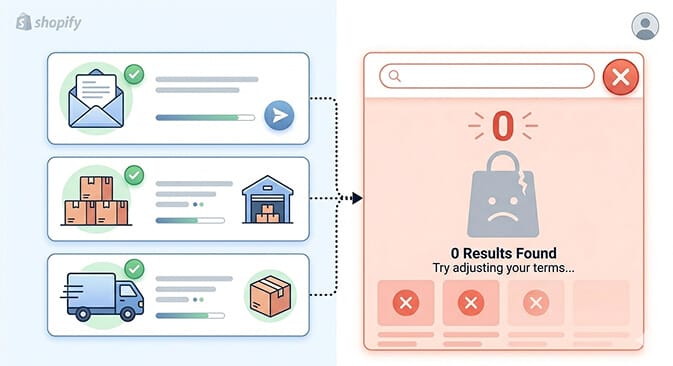
You've automated your emails, your inventory, your shipping labels. But the one place customers tell you exactly what they want? That's still running on default settings.
Last Tuesday, a merchant I know pulled up her Shopify analytics and noticed something that made her stomach drop.
Her store had 4,200 search queries in the past month. That's 4,200 times a customer walked in, told her exactly what they wanted, and waited.
The problem? 1,600 of those searches returned zero results.
Not because she didn't carry the products. She did. Her search bar just couldn't connect "red running shoes size 10" to the product titled "Crimson Athletic Trainer, Men's."
She'd automated her abandoned cart emails. She'd automated her inventory reorders. She'd even automated her Instagram posting schedule.
But the literal search bar on her store, the place where customers type their buying intent in plain English, was still running Shopify's default search. Unmodified. Untouched. Dumb as a brick.
Here's the weird part: she's not unusual. She's the norm.
Why Search Is the Most Under-Automated Part of Ecommerce
Think about where the automation conversation in ecommerce usually goes.
Email sequences. Inventory management. Shipping and fulfillment. Returns processing. Maybe some chatbot stuff.
All important. All worth automating.
But here's what nobody talks about: your search bar is the single highest-intent touchpoint on your entire store. A customer who searches is 2-4x more likely to convert than a customer who browses. They're not window shopping. They're telling you, in their own words, what they want to buy.
And most Shopify stores let that moment run on a basic keyword-match system that hasn't meaningfully changed in years.
This is where most store owners get it wrong. They treat search as a feature that "just works." It doesn't. It fails silently. Customers search, get bad results, and leave. You never see the exit. You just see "high bounce rate" in your analytics and wonder what happened.
Ecommerce search automation changes that equation entirely.
Instead of a static keyword matcher, you get AI that understands what your customers mean, not just what they type. Instead of manually curating filter options every time your inventory changes, you get filters that adapt automatically. Instead of guessing what products to push, you get merchandising logic that responds to real search data.
Stay with me here. Let's break down what this actually looks like in practice.
What "Automated Search" Actually Means for a Shopify Store
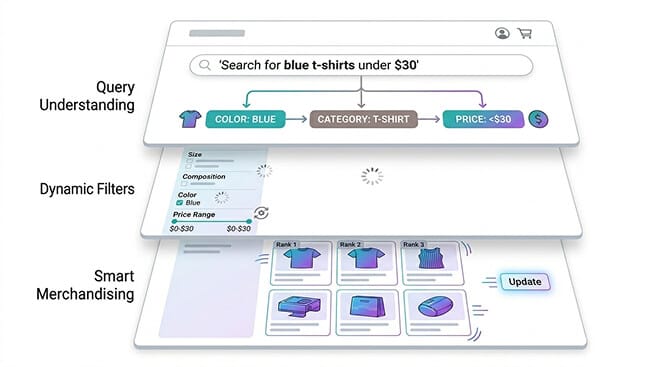
Let's kill the buzzwords and get specific. When we talk about ecommerce search automation, we're talking about three layers:
Layer 1: Intelligent Query Understanding
Your customer types "blue dress for wedding guest under $100." A basic search bar chokes on this. It tries to match those exact words to your product titles and descriptions.
An automated, AI-powered search engine parses the intent. It understands "blue" is a color attribute, "dress" is a category, "wedding guest" is an occasion, and "under $100" is a price filter. It returns relevant results without the customer needing to manually click through four filter menus.
This isn't futuristic. This is what natural language search in ecommerce does right now.
Layer 2: Dynamic Filtering and Facets
Here's a pain point that grows with your catalog. When you have 200 SKUs, managing filters manually is annoying. When you have 2,000 SKUs, it's a full-time job.
Automated filtering means your filter sidebar reflects your actual inventory in real time. Sold out of everything in "XL"? That option quietly disappears. Added a new brand to your catalog? It shows up in the brand filter without you touching a thing. That's the power of smart dynamic filters.
Layer 3: Search-Driven Merchandising
This is the part that costs you money if you ignore it.
Traditional merchandising means someone on your team manually decides which products appear first in collection pages and search results. Maybe you pin a few bestsellers. Maybe you sort by newest. Maybe you just... don't think about it.
Automated merchandising uses search data, click-through rates, and conversion signals to surface the right products for the right queries. It learns. A customer searching "gift for mom" sees your bestselling gift sets first, not a random product that happens to have "mom" in the description. If you want to go deeper on this, we wrote a full breakdown of how ecommerce search actually works under the hood.
The best search automation doesn't just find products. It sells them.
The Real Cost of Running Search on Autopilot (the Wrong Autopilot)
Let me put a number on this that'll sting a little.
Industry data consistently shows that site search users convert at 2-4x the rate of non-search users, but only when search works. When it doesn't? Those high-intent shoppers bounce faster than casual browsers. They came in knowing what they wanted, got told your store doesn't have it (even though it does), and left.
If your store does $30,000/month in revenue and 15% of visitors use search, even a modest improvement in search result relevance can mean $3,000 to $5,000 in recovered monthly revenue.
That's not a guess. That's math based on fixing the zero-result rate and improving search-to-cart conversion. You can estimate your own numbers with a quick calculation.
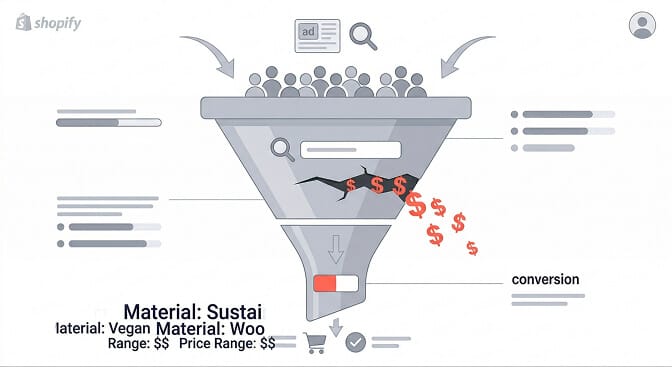
And this is the part that costs you money: you're already paying for those visitors. Every ad dollar, every SEO effort, every social post that drives someone to your store... if they search and bounce, you paid for a customer and then fumbled the handoff. That's the story behind stores with great traffic but no sales.
But then something clicked for the merchant I mentioned earlier.
She installed an AI-powered search tool. Took her about ten minutes. Within a week, her zero-result rate dropped from 38% to under 5%. Her search-to-purchase rate climbed 22%.
She didn't redesign her store. She didn't run new ads. She didn't hire anyone. She just stopped letting her search bar embarrass her.
Five Signs Your Store Needs Search Automation (Not Just a Better Search Bar)
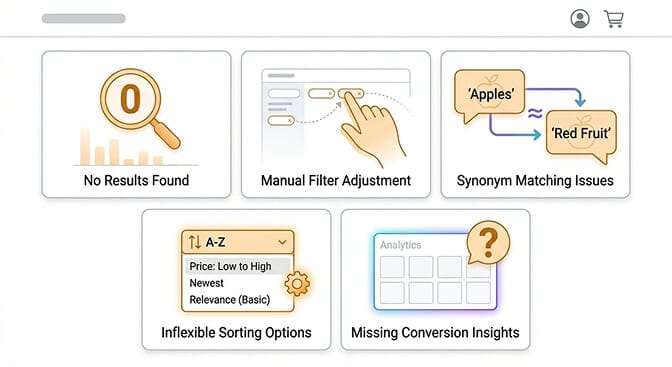
1. Your zero-result rate is above 10%. Pull up your search analytics. If more than 1 in 10 searches returns nothing, your search isn't understanding your customers. That's not a search bar problem. That's a search intelligence problem.
2. You manually update filters when inventory changes. If adding a new product line means spending 30 minutes updating filter options, you're doing manually what software should handle automatically.
3. Customers search for things you sell, using different words. "Sneakers" vs. "trainers." "Couch" vs. "sofa." "Tee" vs. "t-shirt." If your search can't handle synonyms and natural language, it's failing your most motivated buyers.
4. Your merchandising strategy is "sort by newest" or "sort by best-selling." These are defaults, not strategies. Automated merchandising uses real behavioral data to surface the right product for each specific query. There's a whole discipline behind optimizing online merchandising that most stores skip entirely.
5. You have no idea what customers are searching for. If you can't pull up a report showing your top 50 search queries, your fastest-growing queries, and your highest-converting searches, you're merchandising blind. Knowing which KPIs to track is the first step toward fixing this.
If you recognized your store in three or more of those, it's not a search bar upgrade you need. It's search automation.
If this is hitting close to home, Sparq was built for exactly this. AI-powered search and filtering that installs in 10 minutes and starts showing you what your customers actually want. Worth a free look.
How Ecommerce Search Automation Fits Into Your Existing Stack
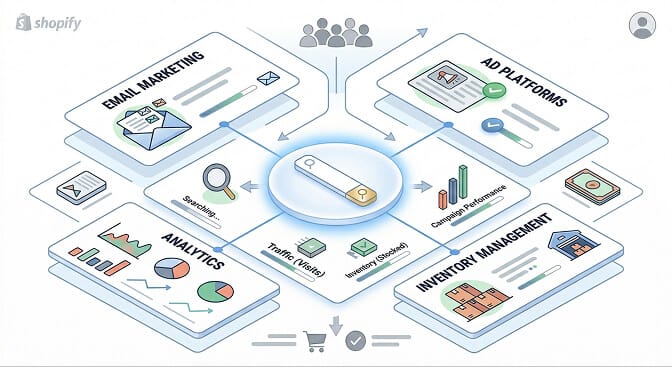
Fair question. Here's how search automation fits without adding complexity.
It replaces, not adds. You're not layering another tool on top. You're swapping out a broken default (Shopify's native search) for something that actually works. Net app count stays the same or goes down if you're currently using a separate filter app. If you're curious what that swap looks like in practice, here's a walkthrough on how to replace Shopify's default search.
It feeds your other tools. Search analytics data improves your email marketing (you now know what products people want), your ad targeting (search queries = keyword goldmine), and your inventory planning (trending searches tell you what to stock).
It works with your theme. Modern search automation tools for Shopify are built to inherit your theme's styling. No Frankenstein UI situations. No developer needed. And no, it won't slow your store down.
The stores that get the most out of ecommerce search automation aren't the ones with the biggest budgets. They're the ones who realize that search data is the most honest feedback loop in their entire business. Customers are literally typing what they want. All you have to do is listen, and make sure your store can respond.
Choosing the Right Search Automation for Your Store
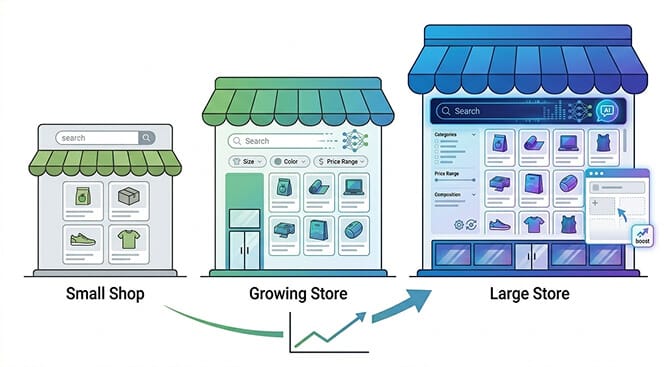
If you're under 500 SKUs: You might get by with a well-configured basic search app. But the moment you cross that threshold, natural language understanding and smart filtering start paying for themselves fast.
If you're 500 to 5,000 SKUs: This is the sweet spot for AI-powered search automation. Your catalog is big enough that customers need search to navigate it, and manual merchandising starts breaking down. Look for a tool built specifically for Shopify, with AI query understanding, dynamic filters, and built-in analytics. Here's a guide to choosing the right product filter and search app.
If you're 5,000+ SKUs: You need everything above, plus customizable merchandising rules, synonym management, and detailed search performance reporting. Some enterprise tools handle this, but they come with enterprise pricing and six-week onboarding. For most Shopify merchants in this range, a purpose-built Shopify search app delivers 90% of the capability at 10% of the cost and complexity. We compared the best ecommerce search engines to help you weigh the options.
The key question to ask any search tool: "Can it understand what my customers mean, not just what they type?" If the answer is no, it's just a faster version of the same dumb search.
The Quiet Shift That's Already Happening
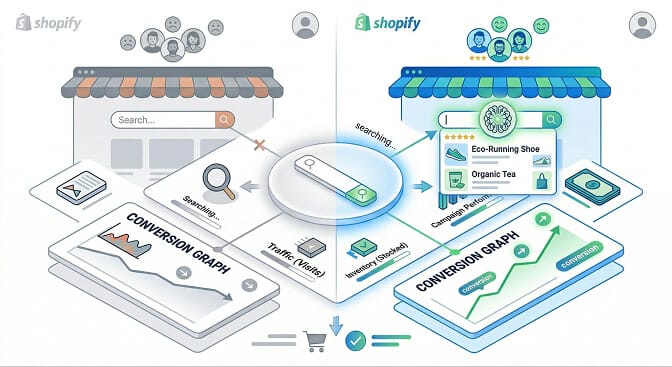
Ecommerce search automation isn't a future trend. It's a current gap. The stores adopting it now are quietly pulling ahead, not with flashy redesigns or viral marketing, but with a search experience that actually converts the traffic they already have.
It's not the sexiest part of running a store. Nobody's posting search bar screenshots on Twitter. But it might be the highest-ROI change you can make this quarter.
Because at the end of the day, a customer who searches your store is a customer raising their hand. They're saying, "I want to buy something. Help me find it."
The only question is whether your store answers them, or shrugs.
Frequently Asked Questions
What is ecommerce search automation?
Ecommerce search automation uses AI and machine learning to intelligently handle product search, filtering, and merchandising without manual configuration. Instead of relying on basic keyword matching, automated search understands natural language queries, adapts filters to real-time inventory, and surfaces the most relevant products based on behavioral data.
How does AI-powered search differ from Shopify's default search?
Shopify's native search uses basic keyword matching. It looks for exact words in product titles and descriptions. AI-powered search automation understands synonyms, natural language, typos, and shopping intent. If a customer searches "lightweight summer jacket," AI search can return relevant windbreakers and linen blazers, while default search might return nothing.
Does automated search and filtering slow down my Shopify store?
No. Modern search automation tools like Sparq are built for performance. They use their own search infrastructure separate from your Shopify backend, which means search queries are processed independently without affecting your store's page load speed. Most merchants see faster search results compared to Shopify's native search.
Is ecommerce search automation worth it for small Shopify stores?
It depends on your catalog size and traffic. Stores with under 50 products may not see a significant difference. But once you cross 200+ products and receive consistent search traffic, the impact on conversion rates becomes measurable. Industry benchmarks show search users convert at 2 to 4x the rate of non-search users, so even modest improvements in search quality translate directly to revenue.
How long does it take to set up automated search on Shopify?
Most AI-powered Shopify search apps install in under 15 minutes. Sparq, for example, syncs with your product catalog automatically, inherits your theme styling, and starts delivering intelligent results immediately. No developer needed, no code changes, no multi-week onboarding process.