
Shopify Search Benchmarks 2026: How Your Filters Actually Stack Up Against the Best Stores
Seven numbers the top stores quietly hit. Grade yourself against each one in the next ten minutes.
I was on a call with a merchant last month who swore his store was fine.
"Traffic's up. Ads are working. Search is... search, right? It's just there."
So I asked him to pull up his own search analytics and type the way his customers actually type. He searched "cozy sweater under 50" on his own store.
Zero results.
He went quiet. Because that's a query a real human typed yesterday, and his store told them to leave.
Here's the weird part. He wasn't doing anything unusual. Most Shopify stores fail the exact same queries, and they never find out, because the customer just bounces and the analytics call it a "low converting session."
So let's stop guessing. Below are seven benchmarks the best Shopify stores hit. Each one has a real number. Grade yourself honestly.
If you fail three or more of these, search is not "just there." It is quietly the biggest leak in your funnel.
Benchmark 1: Your zero-results rate is under 5%
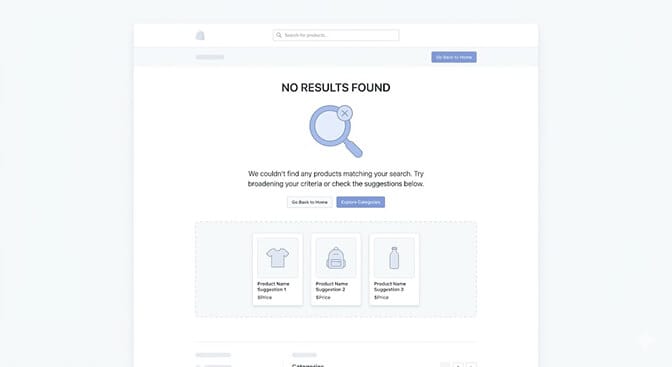
This is the one that stung my merchant friend.
The benchmark: fewer than 5% of your searches should return nothing. The best stores live well below that. If you're sitting at 10% or 15%, you are handing a meaningful slice of high-intent shoppers an empty page.
And empty pages are brutal. A shopper who searches has already decided they want to buy. They typed a thing. When you answer with "sorry, nothing," you don't just lose the sale, you teach them your store doesn't carry what they want, even when it does.
Most zero-results pages are caused by the search engine being literal. The product is right there, tagged slightly differently. We wrote a full breakdown of how to turn these dead ends into recoveries in our guide on no-results page design ideas that save sales.
Stay with me, because the next one explains why those queries fail in the first place.
Benchmark 2: Search visitors convert at roughly 2x your site average
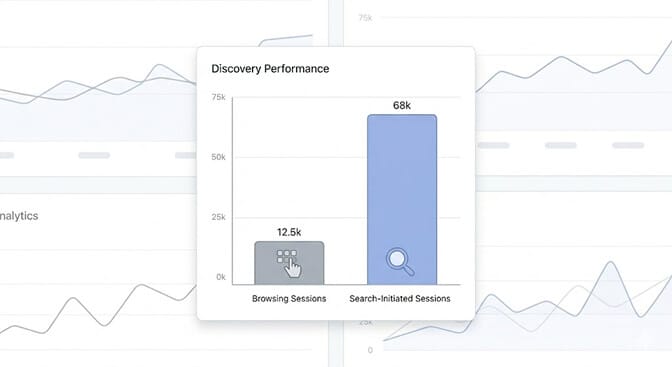
Here's a number that reframes everything.
Shoppers who use your search bar convert at close to double the rate of shoppers who only browse. Across ecommerce, site search conversion averages around 4.6% against roughly 2.8% for browsing. Search visitors arrive with intent. They're the warmest traffic you have.
And yet only about a third of your visitors ever touch the search bar. So a huge chunk of your best-converting behavior depends on a feature most stores barely maintain.
Read that again. The highest-intent action a customer can take on your store runs through the tool you've probably never optimized.
This is where most store owners get it wrong. They pour budget into the top of the funnel and ignore the one on-site behavior that already converts twice as well. If you want the numbers that prove it, our piece on ecommerce search ROI and the KPIs that matter lays out exactly what to track.
Benchmark 3: You handle synonyms and typos without flinching
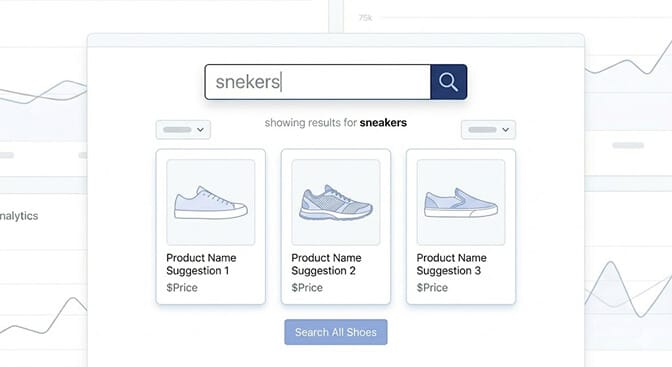
Type "snekers" into your search bar right now. Go ahead.
Did it return sneakers, or did it return nothing?
The benchmark: misspellings and synonyms should resolve silently, every time. This is where stores bleed the most, because around 70% of desktop search tools fail to return relevant results for simple product synonyms. Sweater versus jumper. Couch versus sofa. Sneakers versus trainers.
Your customer doesn't know your internal tagging. They use their words, not yours. When your search demands their query match your exact product titles, you've built a store that only serves people who already know your catalog by heart.
Good search meets the customer in their language. Bad search makes the customer guess yours.
This is the gap between keyword matching and actual understanding. A query like "warm jacket for hiking" is not three keywords. It's an intent. Engines that read it as intent are why some stores feel effortless and others feel like a fight. (For the architecture behind that, see how an ecommerce search algorithm works.)
Benchmark 4: Your autocomplete is genuinely helpful, not decorative
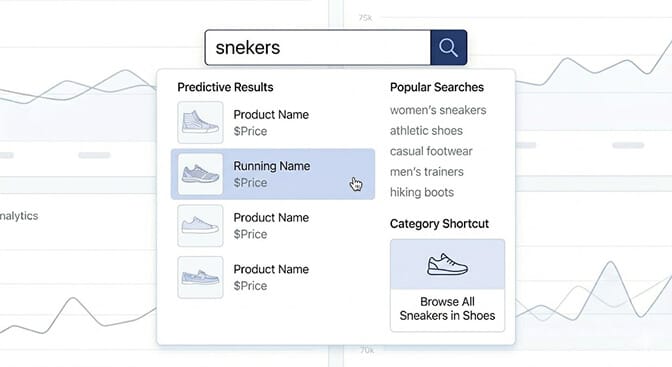
Only about a third of ecommerce sites offer autocomplete that's actually useful. The rest either don't have it or fill it with noise.
The benchmark: as the shopper types, you surface real products, real categories, and the searches that already convert. Thumbnails. Prices. A path straight to the product page.
Helpful autocomplete does two things at once. It shortens the path to purchase, and it quietly corrects the shopper before they ever hit a dead end. They start typing "blu," they see your bestselling blue dress, they click. No zero-results page. No bounce.
Weak autocomplete, on the other hand, is just a dropdown that repeats what they typed. It looks modern and does nothing.
And this is the part that costs you money: every keystroke where you fail to guide the shopper is a moment they can reconsider and close the tab. (For deeper patterns, see our guide to ecommerce search autocomplete.)
Benchmark 5: Your filters are deep, smart, and default to relevance
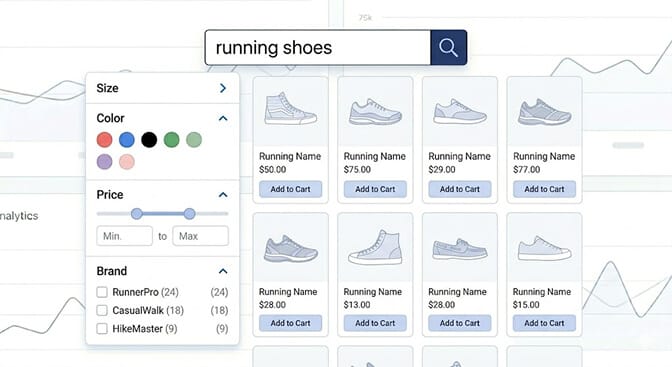
Only about 40% of ecommerce sites offer real faceted filtering. Which means filters alone can put you ahead of more than half your competitors.
The benchmark hits three marks at once. Filters lift conversion by 10% to 30% over unfiltered sessions when they're done right. Faceted navigation outperforms old hierarchy menus by around 20%. And your default sort should be relevance, which beats "price low to high" by 3% to 12% in most categories.
Here's the nuance most stores miss. Good filters use OR logic inside a group and AND logic across groups. Pick red or blue, in small, under 50 dollars. They show product counts next to each option so nobody filters their way into an empty page. And they adapt to what's actually in stock.
That last point matters more every year. Static filters that show options leading to zero results erode trust fast. We went deep on this in our comparison of dynamic facets versus static filters, and the gap is wider than most merchants expect.
If you've read this far and quietly realized your store is failing two or three of these, that's the good news, not the bad. It means the cheapest growth you have is sitting inside a feature you already own. Seeing what your filters and search can actually do takes about ten minutes to set up, no developer required.
Benchmark 6: Your mobile filter experience doesn't fall apart
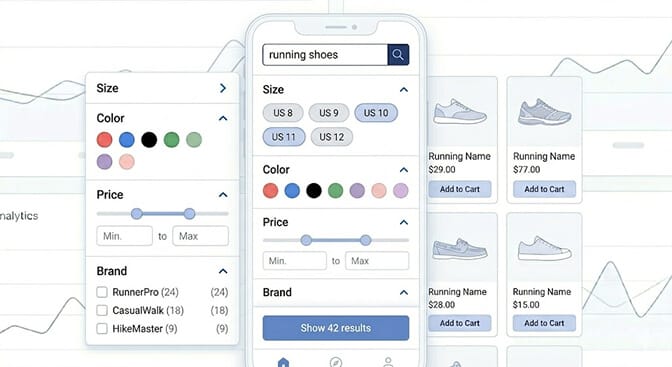
Roughly two thirds of high-intent "I want to buy" moments now happen on mobile. So a filter experience that only works on desktop is a filter experience that fails most of your traffic.
The benchmark: on mobile, filters collapse into a clean full-screen modal with a sticky "show results" button that updates the count live. Not a cramped sidebar squeezed onto a 6-inch screen. Not filters buried three taps deep.
The stores that get this right treat mobile as the primary experience, not the afterthought. Tap to open filters, tap chips to refine, watch the result count change, tap to apply. Done.
The ones that get it wrong make mobile shoppers pinch, scroll sideways, and give up. For the specific patterns that work on small screens, our breakdown of mobile search UX patterns for Shopify walks through ten of them.
Benchmark 7: You actually read your search analytics
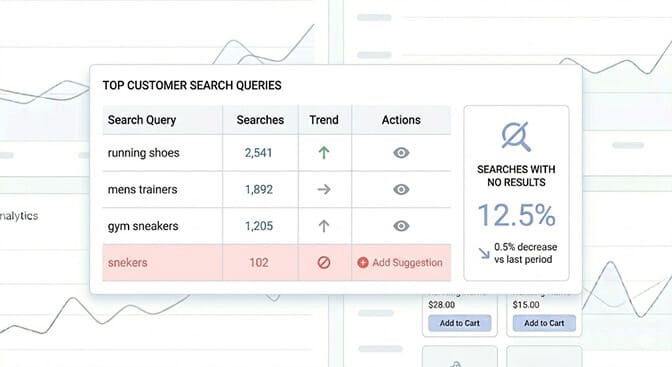
This is the benchmark that powers all the others, and almost nobody hits it.
The benchmark: you review what customers search at least weekly, and you act on it. Because search-influenced sessions drive somewhere between 40% and 60% of revenue for many stores. The search bar isn't just a finding tool. It's the most honest focus group you'll ever run.
Every query is a customer telling you exactly what they want, in their own words. The searches that return nothing are a shopping list for what to stock next. The most-refined filters tell you what attributes your customers actually care about.
Most stores have this data and never open it. They optimize ad copy down to the comma and never once read the words their own customers typed.
Your search log is the cheapest market research you will ever own. The only cost is paying attention. (Sparq surfaces this view automatically — see what it looks like in our features.)
The part that actually matters
A few of these benchmarks, you probably pass. A few, you probably don't.
That's normal. Search and filters quietly degrade as your catalog grows, and nobody sends you an alert when they break. The customer just leaves, and the analytics shrug.
But here's the thing I keep coming back to. You spend real money getting people to your store. Ads, content, email, all of it. And then, at the exact moment a shopper raises their hand and says "I want this," a weak search bar tells too many of them no.
Fixing that isn't a big rebuild. It's the highest-leverage afternoon you'll spend all quarter.
If you're tired of watching high-intent shoppers search and leave empty-handed, this is the part Sparq was built for. AI search that reads intent, filters that adapt to your inventory, and analytics that show you the money you're leaving on the table. See how your store scores and what it would take to fix it. Most merchants are live in about ten minutes, and the search log alone is worth the install. Prefer a walkthrough first? Book a demo or check pricing for your catalog size.
Frequently Asked Questions
What is a good zero-results rate for Shopify search?
A healthy zero-results rate is below 5% of all searches. The best-performing stores sit well under that. If yours is in the 10% to 15% range, you're showing empty pages to high-intent shoppers who were ready to buy, which is one of the most fixable revenue leaks in ecommerce.
How does site search conversion compare to browsing on a Shopify store?
Shoppers who use site search convert at roughly twice the rate of shoppers who only browse, with search sessions averaging around 4.6% conversion versus about 2.8% for browsing. Search visitors arrive with clear intent, which is why optimizing search often returns more than buying additional traffic.
How do I benchmark my Shopify store's search and filters?
Pull your search analytics and check three things first: your zero-results rate, whether misspellings and synonyms return products, and whether filters show live product counts. Then test the experience on mobile. Comparing these against known benchmarks tells you fast whether your discovery experience is ahead of or behind most stores.
Does adding faceted filters actually increase conversion?
Yes. Filters typically lift conversion by 10% to 30% over unfiltered sessions, and faceted navigation outperforms older hierarchy-style menus by around 20%. The catch is they must show product counts, adapt to inventory, and default to relevance sorting, otherwise they can send shoppers into empty results.
Will a search and filter app slow down my Shopify store?
A well-built search app runs on its own infrastructure and returns results faster than Shopify's native search, so it should not slow your store down. Sparq is built specifically for Shopify and serves results instantly, which matters because slow results cause shoppers to abandon before they ever see a product.







