
Your search bar isn't broken. It's just dumb. Here's what's actually happening behind the scenes when a customer types "blue dress for wedding" and gets shown a phone case.
Last Tuesday, a merchant I was talking to showed me something painful.
She sells handmade candles. Soy candles, beeswax pillars, taper candles, the whole catalog. About 800 SKUs. Decent traffic. Good ad spend.
She pulled up her Shopify store and typed "candle for relaxation" into her own search bar.
Nothing.
Not a single result. Zero. On a store that sells only candles.
She wasn't searching for something obscure. She wasn't misspelling anything. She was typing exactly what her customers type. And her store basically said: "Sorry, never heard of it."
This is where most stores get it wrong.
They assume the search bar works. They set it up once. They never look at it again. And every single day, customers are typing queries into that little box, getting garbage results, and quietly leaving.
No angry email. No support ticket. Just... gone.
What an Ecommerce Search Algorithm Actually Does
Let's strip away the marketing fluff and talk about what's really happening when someone types a query into your store's search bar.
An ecommerce search algorithm is a set of rules that takes a customer's words, matches them against your product catalog, and decides what to show first.
That's it. That's the job.
But the how is where everything falls apart.
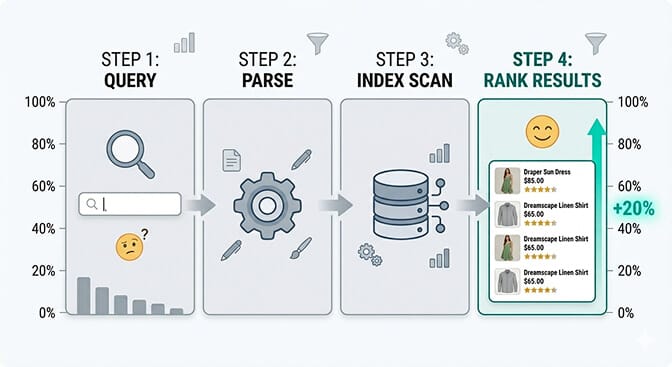
Here's the basic process, broken into four steps:
Step 1: The query comes in. A customer types something. Could be "red sneakers size 10." Could be "gift for mom under $50." Could be "that thing I saw on TikTok." The algorithm needs to make sense of all of it.
Step 2: The algorithm parses the query. It breaks the words apart. Identifies keywords. Tries to understand what the customer actually wants. This is the step where basic search engines completely fall on their face, because they can only match exact keywords. No interpretation. No understanding.
Step 3: It scans the index. Your product catalog has been pre-organized into an index, basically a giant lookup table. The algorithm rifles through this index looking for matches against the parsed query.
Step 4: It ranks the results. Not all matches are equal. The algorithm needs to decide: does the "red sneakers" product listing rank above or below the "sneakers with red laces"? This ranking step is where the real magic (or disaster) happens.
And this is the part that costs you money.
Because most Shopify stores are running on the default search. And the default search only does one of these four steps well: scanning the index. Everything else? It barely tries.
The 5 Layers of a Smart Search Algorithm (And Which Ones You're Missing)
Here's where it gets interesting. Modern ecommerce search isn't one algorithm. It's a stack of layers, each one building on the last.
Think of it like a cake. Most stores are serving their customers a single dry layer and wondering why nobody's coming back for seconds.
Layer 1: Keyword Matching
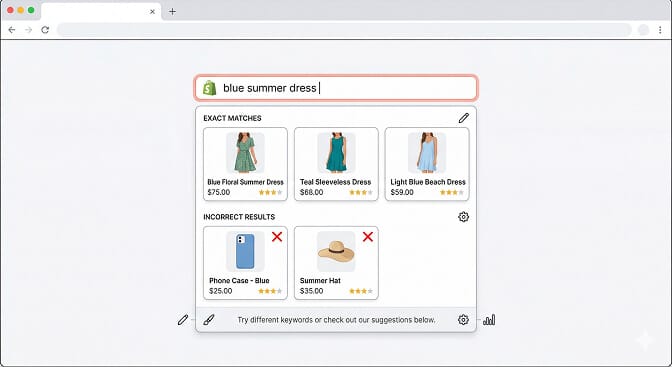
This is the foundation. The algorithm looks at the words in the query and finds products that contain those same words in their title, description, or tags.
"Blue dress" returns products with "blue" and "dress" in the listing.
Simple. And dangerously limited.
Because what happens when a customer searches for "navy cocktail dress"? If none of your products literally say "navy cocktail dress" in the title, you get the dreaded "no results found" page.
This is what Shopify's native search does. Keyword matching with some basic prefix matching thrown in. It works if your customers type exactly the words you used in your product titles. Which they basically never do.
Layer 2: Natural Language Processing (NLP)
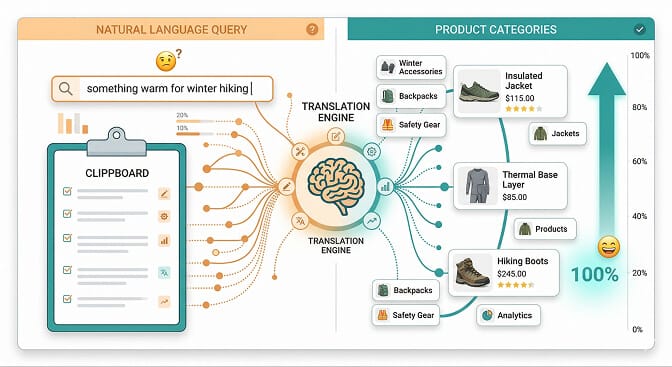
This is where the algorithm starts to actually think.
NLP allows the search engine to understand intent, not just words. When someone types "something for my living room that smells nice," an NLP-powered algorithm knows they probably want candles, diffusers, or air fresheners. Not products that literally contain the phrase "smells nice."
It handles synonyms automatically. "Sneakers" and "trainers" and "running shoes" all point to the same products. "Pants" and "trousers." "Couch" and "sofa."
Here's the weird part: most store owners don't realize their search engine can't do this. They assume it can. They've been assuming it since they launched.
If you're running Shopify's default search, you don't have NLP. You have keyword matching wearing a trench coat pretending to be intelligent.
Layer 3: Typo Tolerance and Fuzzy Matching
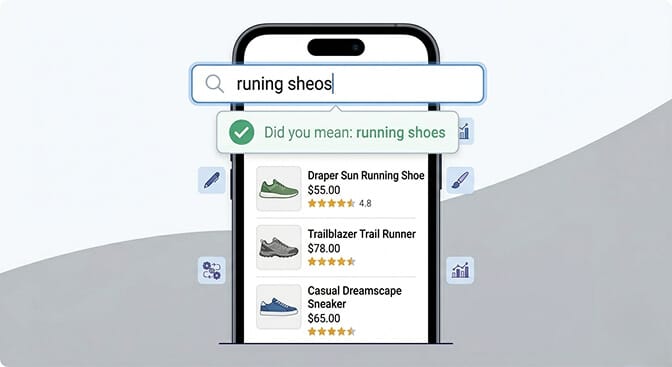
Real humans make typos. They misspell things. They type "recieved" instead of "received" and "definately" instead of "definitely." And they definitely type "nke" when they mean "Nike."
Fuzzy matching allows the search algorithm to recognize that a query is close enough to a real word and correct it on the fly.
This sounds like a small thing. It's not.
According to Baymard Institute research, around 70% of ecommerce search engines fail to handle even simple misspellings well. That means if a customer fat-fingers one letter, they see zero results. And they leave.
Stay with me here.
The default Shopify search has some basic fuzzy matching, but it's inconsistent. It might catch "shrt" as "shirt" but completely miss "jogger pants" if your listing says "joggers" without "pants."
A proper ecommerce search engine handles this automatically. Every single query. No configuration needed.
Layer 4: Relevance Ranking and Personalization
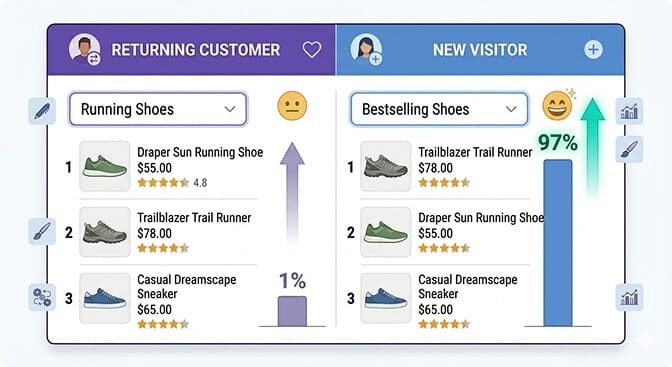
Finding matching products is only half the battle. The other half is deciding which order to show them in.
And this is where most search algorithms either shine or silently destroy your conversion rate.
A smart ranking algorithm weighs multiple factors:
Text relevance. How closely does the product match the query? A title match is stronger than a description match.
Popularity. Bestsellers get a boost. If 500 people bought the same product this month, it's probably relevant.
Recency. New arrivals might deserve priority, especially in fashion.
Margin. Yes, some search algorithms let you boost higher-margin products. Your search bar can actually make you more profitable.
Personalization. If a returning customer always buys size medium in blue, show them size medium in blue first.
Most stores treat their search results like a random pile. First result? Whatever the database spits out. That's like a retail store employee randomly grabbing items off shelves when you ask for help.
Layer 5: Search Analytics and Learning
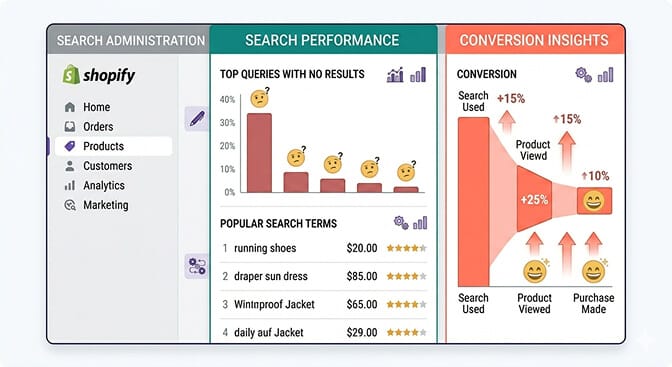
The most powerful layer isn't even about what happens during the search. It's about what happens after.
Smart search algorithms track everything. What people search for. What they click. What they buy after searching. What they search for and then leave.
This data is gold.
If 200 customers searched for "organic dog treats" this month and you don't carry them, that's not a search problem. That's a product opportunity staring you in the face.
If customers keep searching for "gift set" but your products are listed as "bundle," you need to add synonyms, and tracking your search performance will tell you that.
This is the layer where search stops being a feature and starts being a business intelligence tool.
Why Shopify's Default Search Fails (It's Not Shopify's Fault)
Let me be fair to Shopify here.
Shopify is a platform. It's built to do a thousand things reasonably well. And for a store with 20 products, the default search is fine.
But the moment you cross 100 SKUs? 500? 1,000? The default search starts cracking.
Here's specifically what it can't do:
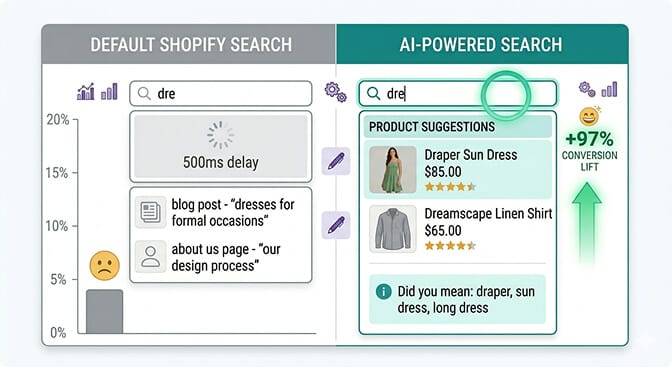
It can't understand natural language queries. "Gift for my boyfriend" returns nothing useful.
It can't handle synonyms well. "Sofa" and "couch" are strangers to each other.
It can't rank results intelligently. No popularity weighting. No personalization. No margin boosting.
It doesn't give you search analytics. You have no idea what your customers are searching for. That's like running a retail store blindfolded.
It can't adapt. It doesn't learn from customer behavior. Every search is treated like it's the first search anyone has ever made.
This isn't Shopify being lazy. This is Shopify making a platform-level trade-off. They can't build a world-class search engine AND a world-class checkout AND a world-class CMS AND everything else. So they built "good enough" search and left the door open for specialized apps.
The problem is that most merchants don't walk through that door.
If 43% of your visitors go straight to the search bar, and your search bar is barely functional, you're losing revenue every single hour.
If you're tired of customers searching and leaving empty-handed, Sparq fixes that in about 10 minutes. Free to try.
The Algorithm Mistakes That Are Costing You Sales Right Now
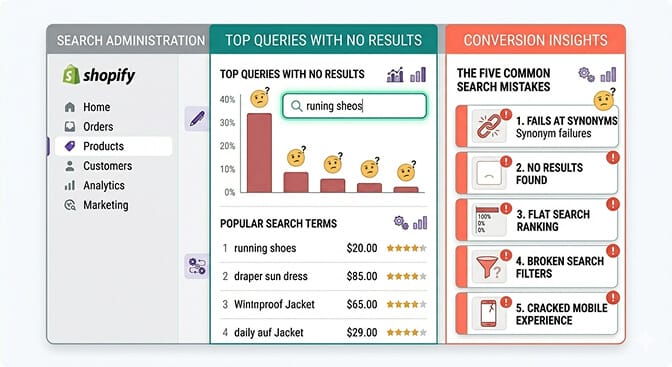
Let me get specific. These are the most common search algorithm failures I see on Shopify stores, and every single one of them is fixable.
Mistake 1: No Synonym Database
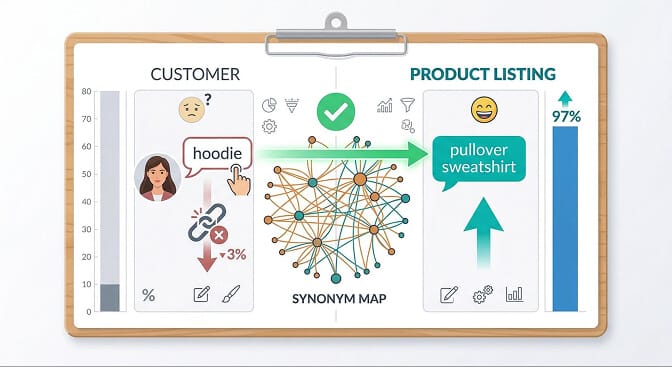
Your customers say "hoodie." Your product listing says "pullover sweatshirt." Your search algorithm sees no connection between these words. Result: no results page. Customer leaves.
This is absurdly common. And it's one of the easiest things to fix. A proper synonym handling system maps customer language to your catalog language automatically.
Mistake 2: Ignoring "No Results" Data
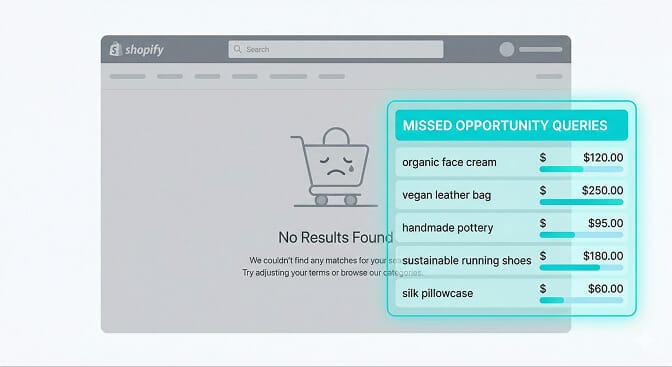
Every "no results" page is a signal. It's a customer raising their hand and saying, "I wanted to give you money, but you made it impossible."
If you're not tracking your zero-result queries, you're flying blind. You don't know what products to add. You don't know what synonyms to create. You don't know what's broken.
Mistake 3: Flat Ranking
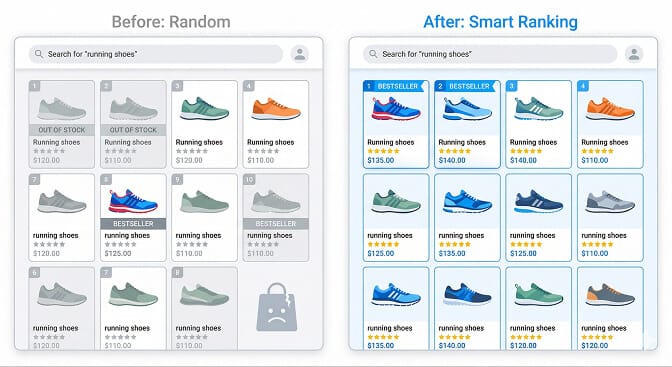
When every search result has the same weight, your top-selling product sits right next to your worst performer. Your highest-margin item is buried under clearance stock nobody wants.
Smart ecommerce merchandising tools let you boost, bury, and pin products based on business rules. This isn't manipulation. It's merchandising. Exactly what every good retail store does with shelf placement.
Mistake 4: No Filter Intelligence

Your filters show "Material: Polyester" even when no polyester products match the current search query. The customer clicks it. Zero results. Frustration.
Smart filters adapt to the current result set. They only show options that will actually return products. This is called dynamic filtering, and it's the difference between a search experience that feels helpful and one that feels broken. See our guide on ecommerce filter design for more.
Mistake 5: Treating Mobile Search Like Desktop Search
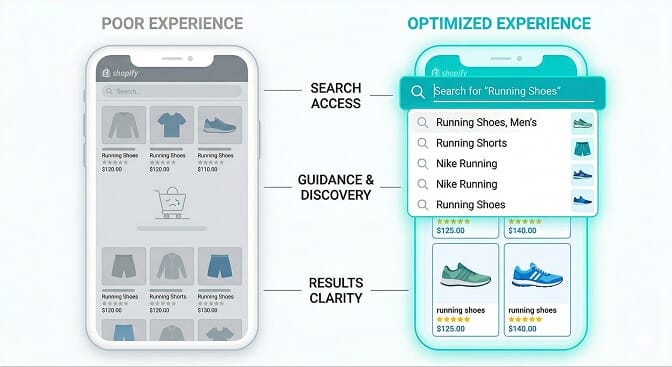
Over 70% of Shopify traffic is mobile. And mobile search is fundamentally different.
Smaller screens. Fat thumbs. More typos. Less patience.
If your mobile search experience isn't optimized for touch, with larger tap targets, autocomplete suggestions, and instant results, you're losing the majority of your search traffic.
What a Properly Optimized Search Algorithm Looks Like in Practice
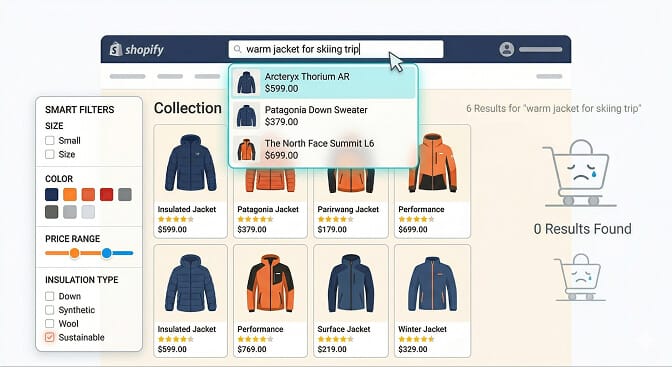
Let me paint the picture of what good looks like.
A customer lands on a Shopify store selling outdoor gear. She types "warm jacket for skiing trip" into the search bar.
Here's what happens in about 200 milliseconds:
The NLP layer parses her query and understands she wants: outerwear, insulated, winter sports context.
The algorithm searches the index for products tagged as jackets, winter, ski, insulated.
Synonym mapping catches that "warm" relates to "insulated" and "thermal."
The ranking algorithm puts the bestselling ski jackets first, prioritizes in-stock items, and boosts the brand's highest-rated products.
Dynamic filters appear on the side: Size, Color, Price Range, Insulation Type. All of them are relevant. All of them will return results.
She sees exactly what she wants. She clicks. She buys.
Total time from search to product page: four seconds.
That's what a modern search UX is supposed to feel like. Fast, accurate, and invisible. The customer shouldn't even notice the search is good. They should just find what they need.
Want to see what your customers are actually searching for? Install Sparq and check your search analytics. It's eye-opening.
The Takeaway Nobody Talks About

Here's what I keep coming back to.
Your search bar is the most honest feedback loop in your entire store. It tells you exactly what your customers want, in their own words, in real time.
Most merchants ignore it. They obsess over ad spend, email campaigns, Instagram content. They'll spend $5,000 on a Facebook ad campaign and never once look at what people are typing into their search bar.
But the customer who uses search is already interested. They're already on your site. They already want to buy something. All you have to do is show them the right product.
And if your algorithm can't do that, all the ad spend in the world won't fix the hole in your bucket.
The algorithm behind your search bar isn't just a technical feature. It's the shortest distance between your customer's intent and your revenue. Treat it like it matters, because it does.
Frequently Asked Questions
What is an ecommerce search algorithm?
An ecommerce search algorithm is a set of rules and processes that takes a customer's search query, matches it against your product catalog, and ranks the results by relevance. Advanced algorithms use AI, natural language processing, and personalization to deliver accurate results. Basic algorithms rely on simple keyword matching, which often returns irrelevant or zero results.
How does ecommerce site search differ from Google search?
Google indexes billions of web pages across the internet using PageRank and hundreds of ranking signals. Ecommerce site search indexes a single store's product catalog and focuses on purchase intent. The ranking factors are different too: ecommerce search weighs things like product availability, margin, popularity, and personalization rather than backlinks and domain authority. Think of Google as a library. Your site search is a personal shopping assistant.
Does improving site search actually increase conversion rates?
Yes. Visitors who use site search are 2 to 3 times more likely to convert than those who browse by category. The reason is simple: search users have higher purchase intent. When a customer types a specific query, they're telling you exactly what they want to buy. If your search algorithm surfaces the right product quickly, the path from intent to purchase shortens dramatically.
What's the best search app for Shopify stores?
The best search app depends on your store size and needs. Algolia is powerful but complex and expensive, built more for enterprise. Searchanise offers solid features but has a dated interface. Sparq is built specifically for Shopify with AI-powered natural language search, smart filters, synonym handling, typo tolerance, and search analytics, all with a 10-minute setup and no developer needed.
Will adding a search app slow down my Shopify store?
A well-built search app should have zero impact on your store's page load speed. Apps like Sparq load asynchronously, meaning the search functionality loads independently of your main page content. The search queries themselves are processed on external servers, so your store's performance stays fast. Always check that any search app you install uses async loading and CDN-hosted assets.