7 'No Results Found' Page Ideas That Actually Save Sales (Not Just Look Pretty)
The hidden page costing you customers, and exactly how to fix it
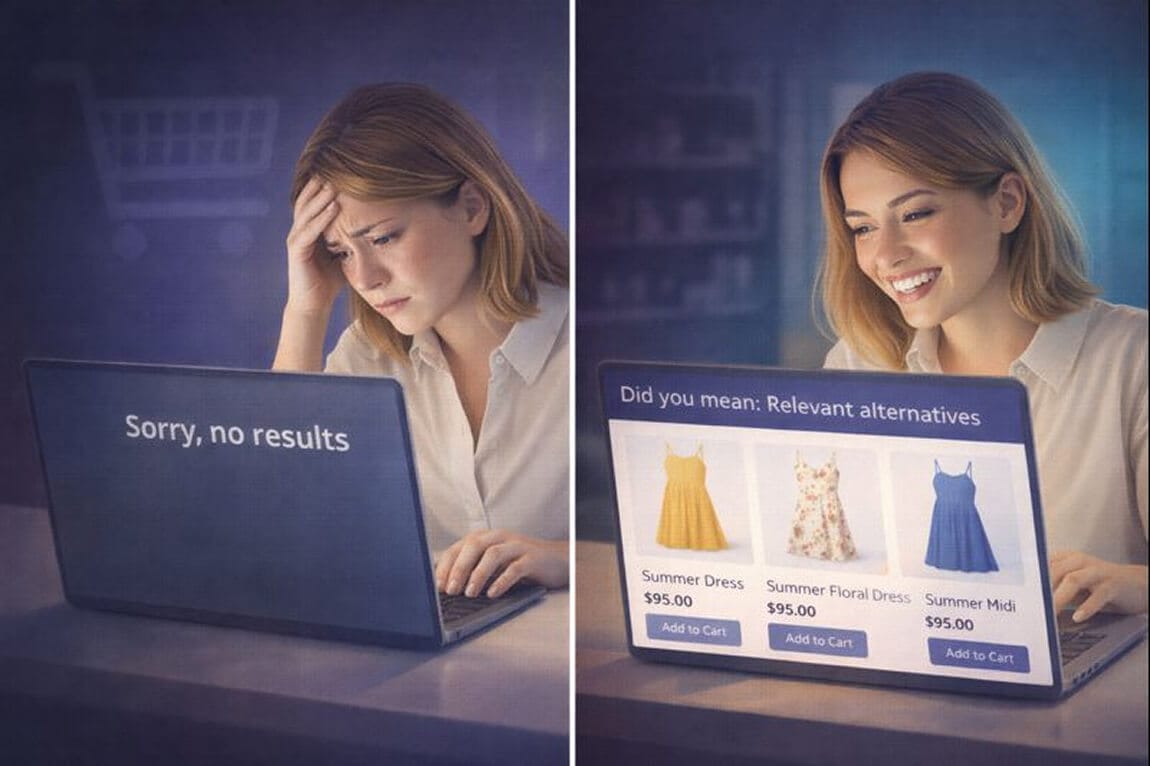
She searched "navy cocktail dress."
Your store has 47 navy dresses. Twelve of them are cocktail-appropriate.
But she saw this: "Sorry, we couldn't find anything matching your search."
Three seconds later, she's on your competitor's site.
This happens more often than you think. According to research, 10.5% of all ecommerce searches end in a zero results page. That's roughly one in every ten shoppers hitting a wall.
Here's what makes it worse: 68% of online stores treat this page as a dead end. A generic message. Maybe a sad emoji. Perhaps some vague advice like "try different keywords."
That's not a no results page. That's a goodbye page.
But here's the part that should make you pause: stores that redesign their zero results pages see measurable conversion lifts. Not because the page looks nicer, but because it actually does something.
Let me show you what that looks like.
Why Your 'No Results' Page Is Bleeding Money
Before we get to the fixes, we need to understand why this page matters so much.
When someone uses your search bar, they're not casually browsing. They have intent. They know what they want. They came to your store specifically looking for it.
These are your highest-value visitors.
And when they hit a dead end? They don't patiently try new keywords. They don't navigate to your categories. Research shows they typically do one of two things: either devise a whole new product-finding strategy (which feels like work), or simply leave.
Most leave.
The "no results" page isn't a design problem. It's a revenue problem disguised as a design problem.
Every zero results page is a fork in the road. Your customer either stays or goes. And the difference between those outcomes often comes down to what you put on that page.
Idea #1: Show the Search Query (And Make It Editable)
This sounds obvious. It isn't.
I've audited dozens of Shopify stores where the no results page doesn't even display what the customer searched for. They just see "No results found" floating in space.
For what? The customer has to remember.
The fix is simple: Display the query prominently at the top. Better yet, keep it in an editable search field so they can immediately modify it.
The Phoenix Shop does this well. When a search fails, you see exactly what you typed, plus a gentle nudge: "Check the spelling or try different keywords."
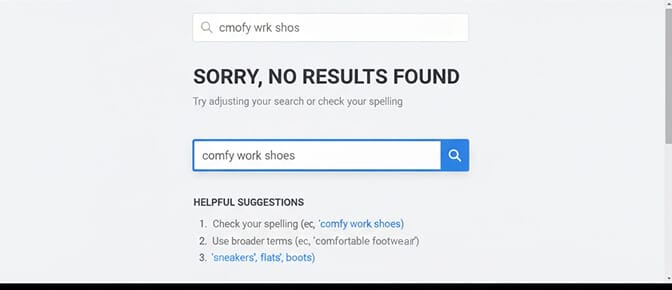
This matters because typos are incredibly common, especially on mobile. People type fast. Autocorrect interferes. By showing them what they searched, you let them self-diagnose.
One store I worked with added this single element and saw their search refinement rate jump by 23%. People weren't leaving. They were trying again.
Idea #2: Suggest Alternative Search Terms (Not Just "Try Again")
"Try different keywords" is useless advice.
It puts the mental work on your customer. What different keywords? They don't know your inventory. They don't know your product naming conventions.
Smart stores suggest specific alternatives.
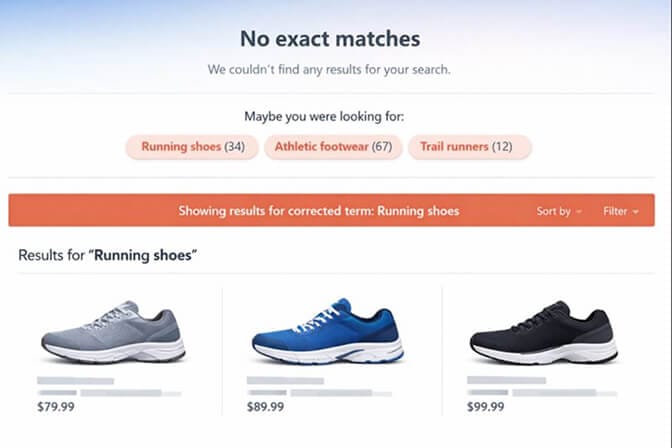
Here's how this works: if someone searches "running sneakers" and you don't have that exact match, show them related queries that do return results. "Running shoes" with 34 products. "Athletic footwear" with 67 products. "Trail runners" with 12 products.
Give them clickable options with result counts.
GAP takes this further by automatically detecting likely typos and showing results for the corrected term. Search for "blck jeans" and you'll see: "Showing results for 'black jeans'" with no dead end required.
This requires a search engine that actually understands language, not just exact keyword matches. If your current search treats "sneakers" and "shoes" as completely unrelated terms, you'll keep losing these customers.
Idea #3: Display Personalized Product Recommendations
Here's something counterintuitive: a zero results page can become one of your highest-converting pages if you use it right.
Think about it. You have a captive audience. Someone who wanted something specific. They're still on your site. They haven't left yet.
What if, instead of showing them nothing, you showed them something relevant?
Nike does this beautifully. Their no results page displays a curated grid of popular products. Not random items, but popular ones with proven appeal.
But you can go further.
If your search tool tracks customer behavior, show recommendations based on:
- Their browsing history on your site
- Products similar to their search intent
- Items from categories related to their query
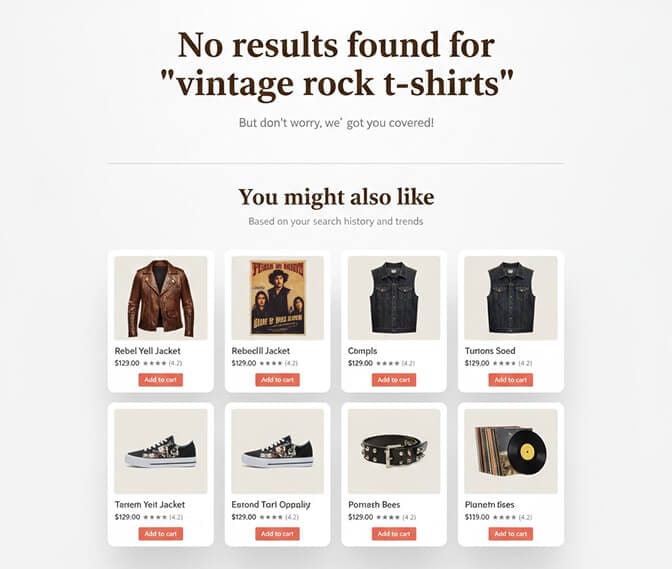
This transforms a moment of frustration into a moment of discovery. "I couldn't find the exact blue wireless headphones I wanted, but these green ones look interesting..."
The data backs this up: approximately 56% of shoppers are more likely to continue browsing when a no results page suggests alternatives.
Idea #4: Feature Your Product Categories
Sometimes people search with incredibly specific terms that no catalog could match. "Vintage 1987 concert tee like my dad had" isn't going to return results for most stores.
When the search is too specific or too obscure, guide them to broader options.
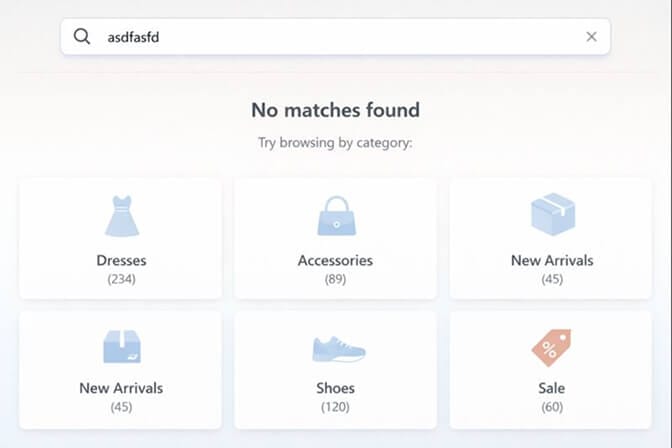
Best Buy executes this brilliantly. Their no results page doesn't just list a few categories. It shows every main category in their store. It's essentially a visual sitemap.
This serves two purposes:
- It reminds the customer of your full inventory scope
- It gives them an immediate next action that doesn't require thinking
Walgreens adds a clever twist by including a link to the customer's browsing history. Can't find what you searched for? Here's what you were looking at earlier.
For Shopify stores, consider displaying your top 5-8 collections with product counts. "Dresses (234)" "Accessories (89)" "New Arrivals (45)". Make it visual. Make it clickable.
The Part Where Most Stores Get It Wrong
Stay with me here. This is where the money is.
I see stores implement one or two of these ideas and call it done. But the sequence matters as much as the elements themselves.
Here's the hierarchy that works:
First: Acknowledge what happened (show the query, apologize briefly) Second: Help them self-correct (editable search, typo suggestions) Third: Offer intelligent alternatives (related searches, category links) Fourth: Rescue with recommendations (personalized products, popular items)
Skip straight to recommendations and you'll frustrate customers who just misspelled something. Skip the self-correction and you're not solving their actual problem.
If you're tired of customers searching and leaving empty-handed, Sparq.ai fixes this in about 10 minutes. Our AI actually understands what shoppers mean, including typos, synonyms, and all, so you get fewer zero results pages to begin with. Worth checking out if this problem sounds familiar.
Idea #5: Enable Search Alerts for Out-of-Stock Items
eBay pioneered something clever: let customers save searches that fail.
If someone searches for a specific vintage item or limited edition product, they can subscribe to notifications. When matching inventory appears, they get an email.
This turns a dead end into a lead capture opportunity.
For Shopify stores, this is particularly powerful if you have:
- Seasonal inventory that rotates
- Products that frequently go out of stock
- Pre-order or waitlist capabilities
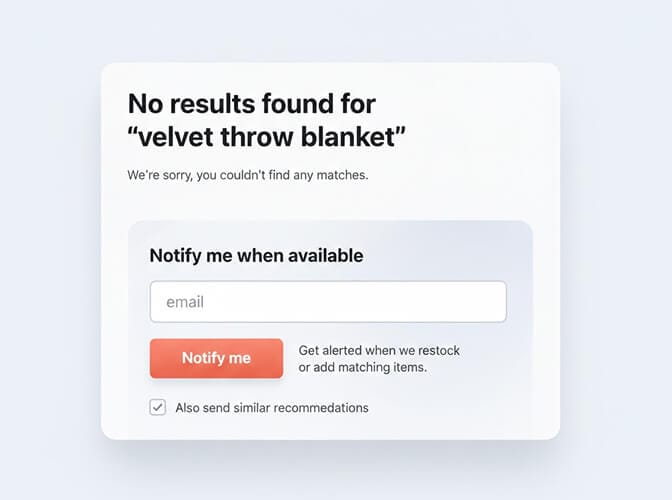
The customer didn't find what they wanted today. But they just gave you permission to bring them back tomorrow.
Idea #6: Provide Direct Contact Options
Sometimes the best solution is a human conversation.
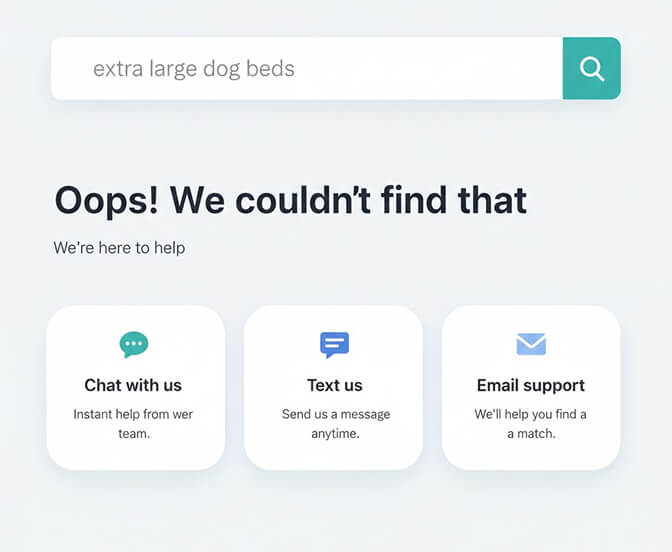
Nordstrom's no results page includes prominent contact information. Not just a generic "contact us" link, but specific recommendations for who to contact based on what you're looking for.
Searching for something specialized? Here's how to reach a personal stylist. Looking for a gift? Here's the gift services team.
For smaller stores without dedicated specialists, even a simple live chat widget or "Need help? Text us at..." can rescue sales that would otherwise disappear.
This is especially effective for high-ticket items. Someone searching for a $500 product is worth a conversation.
Idea #7: Add Contextual Content and Buying Guides
Here's an underused approach: turn the no results page into a content moment.
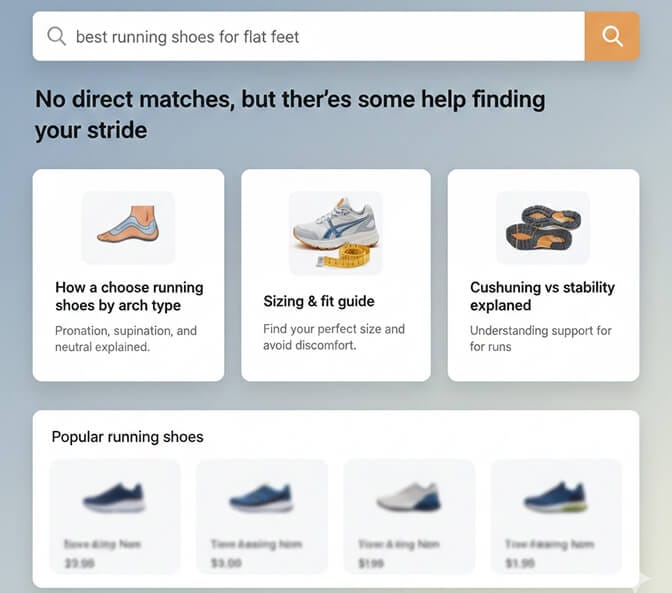
If someone searches "best running shoes for flat feet" and you don't have products with that exact tagging, you might still have:
- A blog post about choosing running shoes by foot type
- A sizing guide that addresses arch support
- A comparison chart of your running shoe collection
Link to it.
You're not giving them the product they searched for, but you're giving them something useful. You're demonstrating expertise. You're keeping them engaged.
This works especially well for stores optimizing their search analytics. When you see patterns in what customers search for, terms that never return results, you can create content specifically for those moments.
Quick Wins: The Checklist
Let's make this actionable. Here's what you can implement this week:
Today:
- Verify your no results page shows the search query
- Make the search field editable on that page
- Add at least one empathetic line ("We couldn't find exactly that, but...")
This Week:
- Add 3-5 featured category links
- Display popular or trending products
- Include your customer support contact option
This Month:
- Implement personalized recommendations based on browsing behavior
- Set up search alerts for out-of-stock searches
- Review your search analytics to find common failed queries
The Bigger Picture
Every no results page represents someone who wanted to give you money and couldn't figure out how.
That's the real cost of this problem. Not the bounce rate. Not the aesthetic. The actual transactions that didn't happen.
But here's the thing most guides won't tell you: the best no results page is one that rarely appears.
If your search can't understand that "joggers" and "sweatpants" are the same thing, or that "bluetooth headphones" should show "wireless earbuds," you're creating these dead ends unnecessarily.
Modern AI-powered search handles this automatically. Typos, synonyms, plural variations, even conceptual matches. The technology exists to make zero results genuinely rare.
Want to see what your customers are actually searching for? Try Sparq.ai free and check your search analytics. Most store owners are shocked by what they find: the misspellings, the product ideas, the patterns they never knew existed.
What This Really Comes Down To
A no results page is a moment of truth.
Your customer is standing at a crossroads, slightly frustrated, slightly uncertain. What happens next depends entirely on what you've built for this moment.
Do they hit a wall? Or do they find a door?
The seven ideas above aren't just design tweaks. They're recovery systems. They're the difference between "sorry, can't help you" and "we've got you, here's what's next."
Build that page like it matters.
Because it does.
Frequently Asked Questions
What is a "no results found" page in ecommerce?
A "no results found" page appears when a customer's search query doesn't match any products in your store's catalog. This can happen due to typos, synonym mismatches, out-of-stock items, or simply products you don't carry. The design of this page determines whether customers continue shopping or leave your site.
How does a good no results page design improve conversion rates?
Research shows that 56% of shoppers continue browsing when given alternative suggestions on a zero results page, compared to those who hit a dead end. By displaying personalized recommendations, category links, and search refinement options, you transform an exit point into a discovery opportunity, keeping customers engaged instead of losing them to competitors.
How do I reduce the number of no results pages on my Shopify store?
The most effective approach is implementing AI-powered search that understands synonyms, handles typos automatically, and matches products conceptually rather than through exact keywords only. Additionally, review your search analytics regularly to identify common failed queries, then add those terms as product tags or synonyms in your search configuration.
What should I include on a no results page for mobile users?
Mobile no results pages should prioritize: (1) the editable search field at top with the original query visible, (2) large, tappable category buttons, (3) a compressed grid of 4-6 recommended products, and (4) a prominent "Contact us" or chat option. Keep text minimal. Mobile users scan quickly and need clear visual paths forward.
Does a custom no results page slow down my Shopify store?
A properly implemented no results page adds negligible load time, typically under 100ms. The key is ensuring your product recommendations and category links are served efficiently. If using personalized recommendations, make sure they're generated server-side or cached appropriately. Most modern search solutions handle this automatically without impacting your site speed.