Your search bar looks fine. Your revenue says otherwise. Here's how to find and fix the silent conversion killer hiding on your Shopify store.
Last Tuesday, a Shopify merchant sent us a support ticket that stopped me cold.
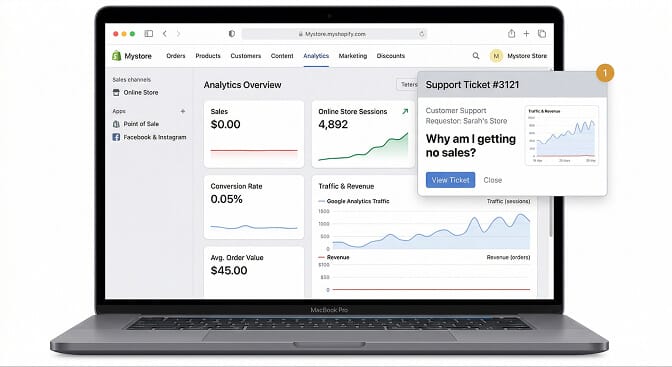
She'd been running ads for three months. Spending $4,000 a month driving traffic to her skincare store. Google Analytics showed solid sessions, 12,000 monthly visitors, growing every week.
But her conversion rate? 0.8%.
She was convinced her products were the problem. Maybe the pricing was off. Maybe the photos weren't good enough. She was two weeks away from pulling the plug on the whole store.
Then we looked at her search analytics.
43% of her visitors were using the search bar. And of those searches, nearly one in five returned zero results. Not because she didn't carry the products. Because her search engine couldn't understand what people were typing.
"Vitamin C serum" returned results. "Vit C serum" returned nothing. "Brightening serum," the exact product she carried, returned nothing.
Her search bar was a trapdoor. And she had no idea.
The Problem Hiding in Plain Sight
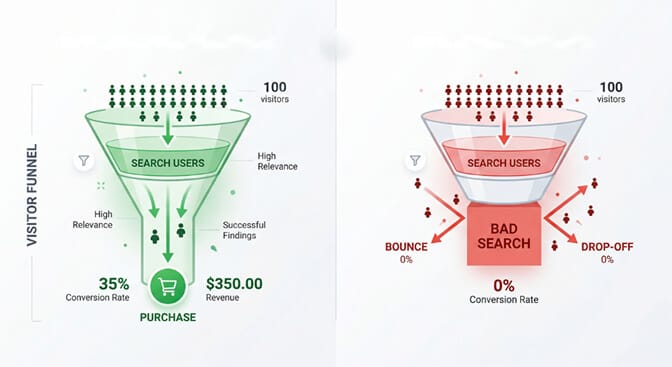
Here's a stat that should make every store owner uncomfortable: shoppers who use site search convert at 2-3x the rate of those who just browse. These are your highest-intent visitors. They showed up knowing what they want. They typed it into your search bar.
And then your search let them down.
The average ecommerce conversion rate sits around 2.5%. But for search users? It can jump to 4.5% or higher, if the search actually works. That gap between "works" and "doesn't work" is where stores bleed money every single day without realizing it.
Here's the weird part.
Most Shopify merchants have never once tested their own search. They've agonized over homepage hero images, product photography angles, and email subject lines. But the search bar? It just sits there. Untouched. Unexamined. Quietly failing.
If you've been wondering why you're getting traffic but no sales on Shopify, your search bar might be the answer you've been overlooking.
Six Ways Your Ecommerce Site Search Is Losing You Money
This isn't a generic checklist. These are the specific failure patterns we see over and over in Shopify stores. Check each one on your own store right now. I'm serious, open a new tab.
1. The "Exact Match or Nothing" Trap
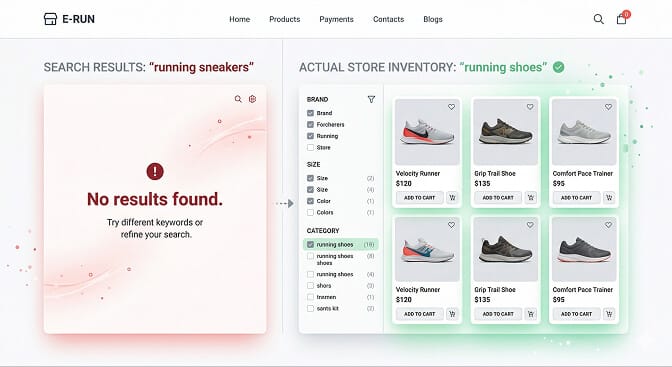
Shopify's default search is a keyword matcher. It looks for the exact words you type and tries to find them in product titles and descriptions.
Think about that for a second.
Your customer types "sneakers." Your products are tagged as "shoes." Zero results. Sale lost.
This isn't an edge case. Studies show that 20-30% of ecommerce search queries contain variations, synonyms, or alternate phrasing that basic keyword search can't handle. That's potentially a third of your search traffic hitting a dead end.
The fix isn't complicated. You need a search engine that understands "sneakers" and "shoes" mean the same thing. That "tee" and "t-shirt" are identical. That "moisturizer" and "face cream" belong together.
This is what synonym handling does. And if your search doesn't have it, you're choosing to lose those sales.
2. Typos That Become Dead Ends
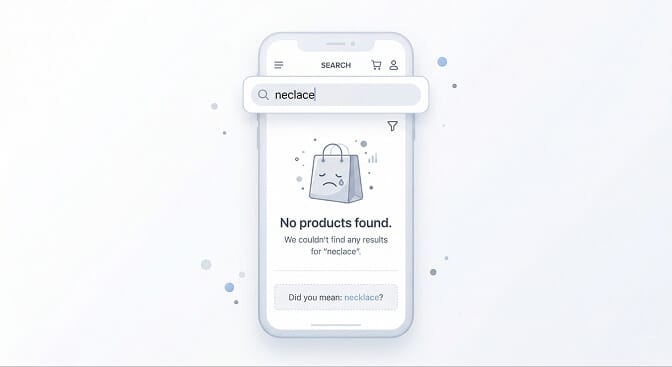
"Neclace." "Bycicle." "Leggigns."
These aren't random strings. They're real purchase intent from real customers who just can't spell perfectly on a phone keyboard.
And if your search returns nothing for these queries? That customer doesn't try again. They leave.
The data backs this up: roughly 20-30% of all ecommerce search queries contain at least one typo. On mobile, where most of your traffic probably comes from, that number skews even higher because of tiny touchscreen keyboards.
Typo tolerance (or "fuzzy matching") is table stakes in 2026. If your search engine can't figure out that "neclace" means "necklace," it's not a search engine. It's a very expensive way to show people the door.
3. Zero-Result Pages That Offer Zero Help
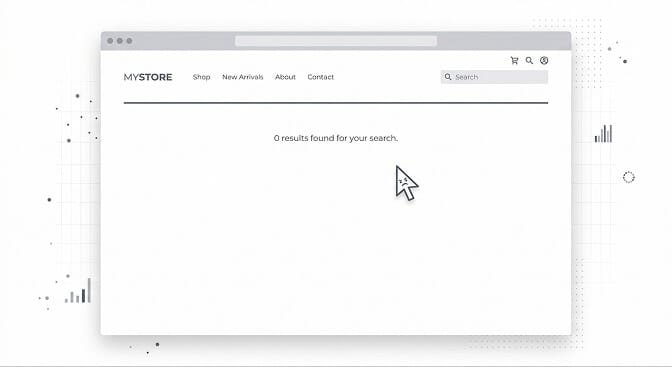
Even with the best search engine in the world, some queries won't match your catalog. Maybe you genuinely don't carry what someone is looking for.
But here's the part that costs you money.
Most stores show a zero-result page that's basically a blank wall. "No results found. Try a different search." That's it. No suggestions. No alternatives. No reason to stay.
A good zero-result page does three things: it acknowledges the miss, suggests related products, and shows trending or popular items. It keeps the customer in your store instead of sending them to your competitor's.
Check your own store right now. Search for something you don't carry. What do you see?
If the answer is a blank page with a sad face emoji, you have work to do. We've written an entire guide on fixing your no-results page to recover lost revenue.
4. Filters That Fight Your Customers
Stay with me here.
Filters are the unsung hero of product discovery. When someone lands on a collection page with 200+ products, they're not going to scroll through every single one. They want to narrow it down. Fast.
But most Shopify stores get filters wrong in one of two ways:
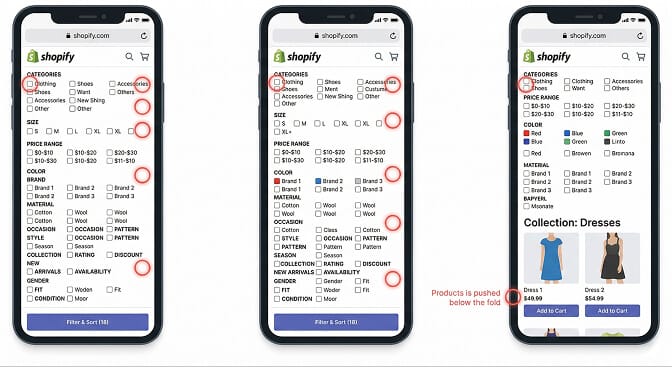
Too many filters, no hierarchy. A skincare store doesn't need a "material" filter. An electronics store doesn't need a "scent" filter. When you show every possible filter option regardless of context, you overwhelm customers instead of helping them.
Filters that don't update dynamically. Here's a common horror story: a customer selects "Size: Large" and "Color: Blue" and gets zero results because you don't have any large blue items in stock. The filters let them select a combination that doesn't exist. Dead end. Frustration. Exit.
Smart filters show only what's available. They adapt to your actual inventory in real time. They remove dead-end combinations before your customer hits them. This is what well-designed ecommerce filter patterns should look like. And if your store doesn't have it, you're creating friction at the exact moment your customer is trying to buy.
5. Search With No Analytics (Flying Blind)
You track your ad spend. You track your email open rates. You probably track which Instagram posts get the most likes.
But do you know what your customers are typing into your search bar?
This is where most stores get it wrong.
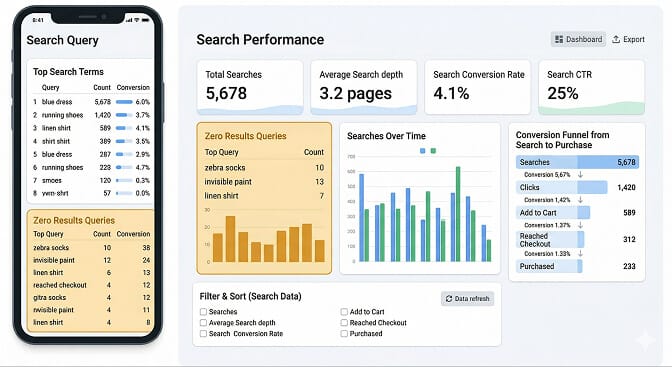
Search analytics is not a nice-to-have. It's a direct window into customer demand. Every search query is someone telling you exactly what they want to buy. And every zero-result query is someone telling you what you're missing.
When we onboard new merchants at Sparq, the search analytics dashboard is usually the first "aha" moment. They discover queries they never expected. Products customers want that they don't carry. Synonyms they've never considered.
One home decor store discovered that "boho curtains" was their third most searched term, but they'd tagged everything as "bohemian." A simple synonym mapping fixed the gap. Their search-to-purchase rate jumped 22% that month.
You can't fix what you can't measure. And if you aren't tracking the right KPIs for your ecommerce store, you're guessing instead of optimizing.
6. Mobile Search That Feels Like an Afterthought
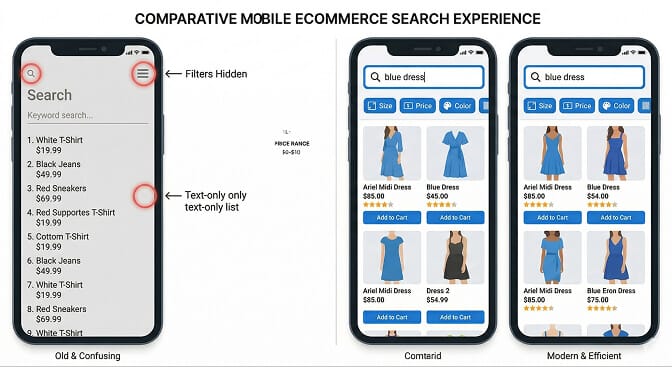
Over 60% of ecommerce traffic comes from mobile devices. But most search experiences were designed for desktop and awkwardly squeezed onto smaller screens.
You know the symptoms: a tiny magnifying glass icon you can barely tap. Search results in a text-only list with no product images. Filter menus that take over the entire screen and require three taps to apply.
Every extra tap on mobile is a moment where your customer can decide it's not worth the effort.
Good mobile search starts with visibility. The search bar should be prominent, not hidden behind an icon. Results should show product images and prices instantly. Filters should use horizontal chip bars, not dropdown menus.
We've covered the best practices for designing site search and product filtering on mobile in a separate deep dive if you want the full playbook.
The Cost of Doing Nothing
Let me put some rough math to this.
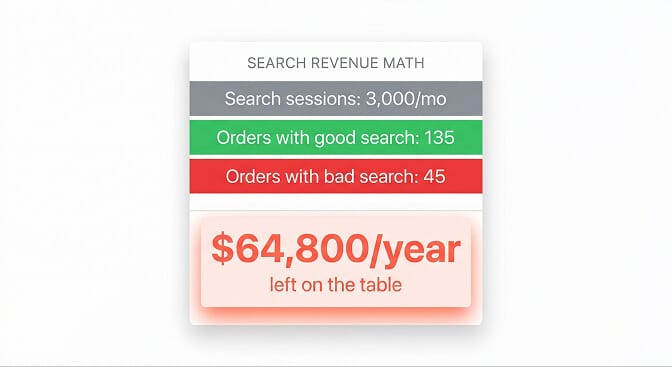
Say your store gets 10,000 monthly visitors. 30% of them use search (that's 3,000 search sessions). Industry data shows search users convert at roughly 4.5% when search works well, versus about 1.5% when it doesn't.
Good search: 3,000 × 4.5% = 135 orders from search Bad search: 3,000 × 1.5% = 45 orders from search
That's 90 lost orders per month. If your average order value is $60, that's $5,400 in monthly revenue you're leaving on the table. $64,800 per year.
And that doesn't count the customers who never come back because their first experience was a dead-end search result.
The irony of bad site search: you're already paying to bring these customers to your store. You're just not letting them buy.
Understanding the role product discovery plays in your ecommerce ROI makes this picture even clearer. Every dollar you spend on ads is partially wasted if your search experience sends high-intent visitors away empty-handed.
How to Fix This (Without Hiring a Developer)
If you've read this far, you probably recognize at least one of these patterns in your own store. Maybe all of them.
Here's the good news: you don't need to rebuild your store. You don't need to hire a developer. And you don't need an enterprise budget.
If you're tired of watching customers search and leave empty-handed, Sparq fixes all six of these problems in about 10 minutes. AI-powered search that understands natural language. Smart filters that adapt to your inventory. Typo tolerance. Synonym handling. And search analytics that show you exactly what your customers want. It's free to try, and it works with every Shopify theme.
But even if you don't use our tool, here's what you should do today:
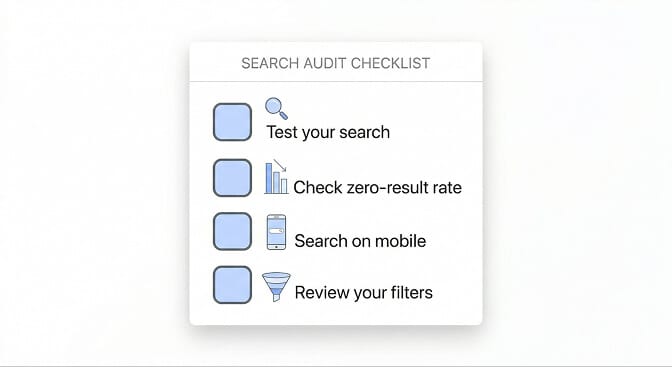
Step 1: Test your own search. Search for 10 of your most popular products using different wording than your product titles. How many return zero results?
Step 2: Check your zero-result rate. If you have any search analytics (Google Analytics tracks basic internal search data), find out what percentage of searches return nothing.
Step 3: Search on mobile. Actually do it. On your phone. Time how long it takes to find a specific product. If it takes more than 15 seconds, you have a problem.
Step 4: Review your filters. Go to your largest collection. Can you narrow down to exactly what you want in two clicks? Or do you get lost in a wall of options?
If you want to go deeper on any of these, we've published a complete ecommerce search optimization guide with step-by-step instructions for each fix.
The Search Bar Is the Most Honest Part of Your Store
I'll leave you with this thought.
Your homepage tells customers what you want them to see. Your collections are curated by you. Your email campaigns push what you've decided to promote.
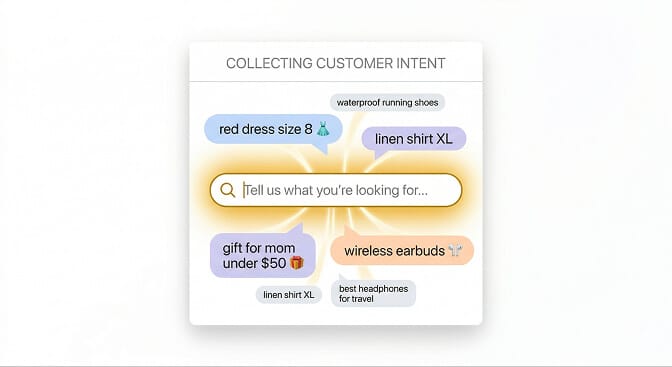
But your search bar? That's where customers tell you what they actually want.
Every query is a whisper of intent. Every typo is a customer trying hard enough to keep typing despite their phone's tiny keyboard. Every zero-result query is a missed handshake.
The stores that listen to their search data, that treat it as a product discovery channel instead of a dusty afterthought, are the ones that understand how ecommerce search actually works and turn that understanding into revenue.
Your search bar already has the answers. You just need to start paying attention.
Want to see what your customers are actually searching for? Install Sparq and check your search analytics. It takes 10 minutes. And honestly? It's a little eye-opening.
Frequently Asked Questions
What is ecommerce site search and why does it matter?
Ecommerce site search is the internal search functionality on an online store that helps visitors find products by typing queries. It matters because search users convert at 2-3x the rate of non-searchers, making it one of the highest-ROI features on your store. Poor site search directly causes lost revenue because high-intent shoppers who can't find what they want leave immediately.
How does Shopify's default search compare to AI-powered search apps?
Shopify's built-in search is a basic keyword matcher. It looks for exact word matches in your product titles and descriptions. It can't handle synonyms, typos, or natural language queries like "warm jacket for winter hiking." AI-powered search apps like Sparq use natural language processing to understand shopping intent, offer typo tolerance, auto-suggest results, and provide smart filtering. For stores with 100+ SKUs, the difference in conversion rates is significant.
How do I know if my ecommerce search is losing me sales?
Check three things: your zero-result search rate (anything above 5% is a red flag), your search exit rate (how many people leave your site immediately after searching), and your search-to-purchase conversion rate. If you don't have search analytics tracking these metrics, that itself is the problem. You're flying blind. Most Shopify merchants can set up basic internal search tracking through Google Analytics or by installing a search app with built-in analytics.
Does adding a search app slow down my Shopify store?
Modern search apps like Sparq are built to load asynchronously, meaning they don't block your page from rendering. The search index is hosted externally, so your store's server isn't doing the heavy lifting. In most cases, a well-built search app adds less than 100ms to page load time, far less than a single unoptimized product image. Speed impact should always be tested, but with reputable apps, it's negligible.
Is it worth investing in site search for a small Shopify store?
Yes, even stores with 50-200 products benefit from better search. The question isn't store size, it's search volume. If even 20% of your visitors use search (and studies suggest 30%+ do on most stores), improving that experience directly lifts conversions. Many search apps, including Sparq, offer free tiers for smaller stores so you can test the impact before committing budget. For stores scaling past 500 SKUs, intelligent search stops being optional and becomes critical.