Your products aren't the problem. The way you show them is.
She had 847 products. Good products. Premium candles with hand-poured wax, custom wicks, and packaging that made people gasp when they opened the box.
But her Shopify store? It looked like a warehouse inventory list.
Every product dumped into one collection. No rhyme. No reason. Customers landed, scrolled for eleven seconds, and bounced. Her conversion rate sat at 0.8% - which, if you're doing the math, means 99 out of 100 visitors walked away empty-handed.
She didn't have a traffic problem. She had a merchandising problem.
And if you're running a Shopify store right now with more than a few hundred SKUs, chances are you have the same one.
What Ecommerce Merchandising Actually Means (Not the Textbook Version)
Here's the version most guides give you: "Ecommerce merchandising is the strategic presentation of products in your online store to maximize sales."
Cool. Useless.
Here's what it actually means: it's the difference between a customer finding what they want in 8 seconds versus giving up after 45.
Think about walking into a physical store. Someone organized those shelves. Someone decided the new arrivals go up front and the clearance goes in the back. Someone put the impulse buys near the register. That's merchandising. Every decision is intentional.
Your Shopify store needs the same level of intention. But most stores treat their product catalog like a filing cabinet instead of a sales floor.
Ecommerce merchandising covers five core areas:
Product organization - how you categorize, tag, and structure your catalog so customers can navigate it intuitively. This means logical collections, smart use of tags and metafields, and product types that actually make sense to shoppers (not just to you).
Visual presentation - hero images, product photography, collection page layouts, and how your grid looks on mobile. This is your store's window display.
Search and filtering - what happens when a customer types "blue cotton dress under $80" into your search bar. Most Shopify stores return garbage. That's a merchandising failure.
Product discovery - recommendations, cross-sells, upsells, trending sections, and "customers also bought" widgets. This is the digital equivalent of a great sales associate who says, "If you liked that, you'll love this."
Promotional placement - which products get featured where, when, and why. Sale banners, homepage hero sections, collection sort order - all merchandising decisions.
If you're only thinking about one or two of these, you're leaving money everywhere.
The Part Shopify Doesn't Tell You
Shopify gives you a beautiful storefront builder. Gorgeous themes. Clean checkout. But here's what they don't emphasize: their default product organization and search tools are built for small catalogs.
When you have 50 products, Shopify's native search works fine. When you have 500? It starts to crack. When you have 2,000+? It's actively hurting your conversions.
Shopify's default search is keyword-match only. A customer searching for "running shoes for flat feet" won't find your product titled "ProFlex Stability Runner - Arch Support Edition." The intent is identical. The words don't match. Sale lost.
This is where smart product search and filtering becomes a merchandising decision, not just a tech decision. The search experience IS your merchandising for the 30-40% of visitors who use the search bar - and those searchers convert at 4-6x the rate of browsers.
Stay with me here. This is where it gets practical.
Strategy 1: Build Your Collection Architecture Like a Store Layout
Most store owners create collections based on product type. Dresses. Shoes. Accessories.
That's fine as a starting point. But it's like organizing a bookstore by binding type instead of genre.
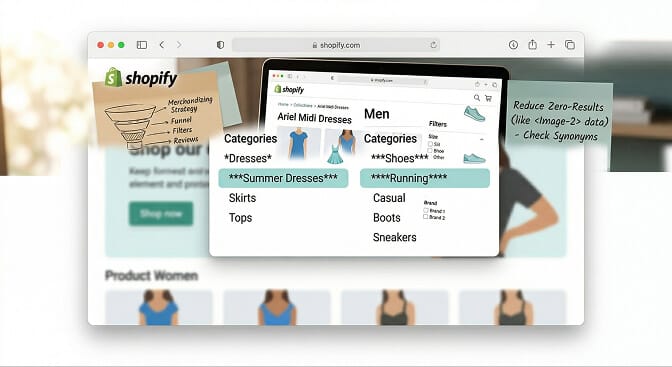
Build collections around how customers actually shop. That means layering three types of collections:
Category collections (the basics): "Men's T-Shirts," "Women's Running Shoes"
Occasion collections (how people think): "Wedding Guest Outfits," "Work From Home Essentials," "Gift Sets Under $50"
Attribute collections (how people filter): "Organic Cotton," "Made in USA," "New Arrivals This Week"
The magic happens when you cross-reference these. A customer browsing "Summer Wedding" who can then filter by size, color, and price range - that's merchandising working at full speed.
Shopify supports automated collections using product tags and metafields. Use them aggressively. The upfront work pays off every single day your store is live.
Strategy 2: Stop Treating Your Homepage Like a Billboard
Your homepage isn't a magazine ad. It's a routing system.
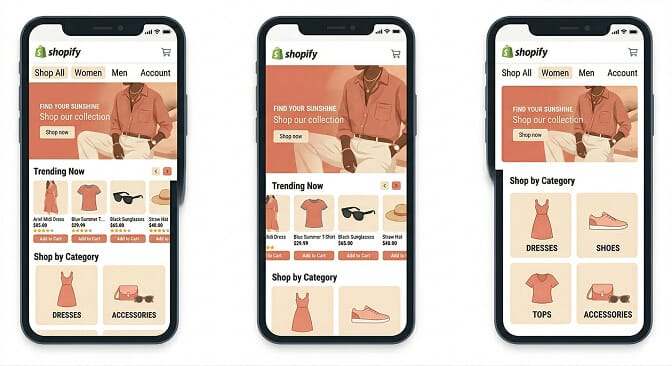
The best-merchandised Shopify stores use their homepage to do three things:
1. Show what's new or seasonal - A rotating hero that highlights the current moment. Not a permanent brand statement that never changes.
2. Surface bestsellers or trending products - Social proof baked into the layout. "Our customers' favorites" does more work than any headline you'll write.
3. Route to key collections - Clear visual links to your top 4-6 collections. Not 12. Not 20. The ones that matter right now.
Here's a test: go to your homepage right now. Can a first-time visitor figure out what you sell and find a product they want within 5 seconds? If the answer is no, your homepage is a billboard, not a sales floor.
Strategy 3: Your Collection Pages Are Where Sales Actually Happen
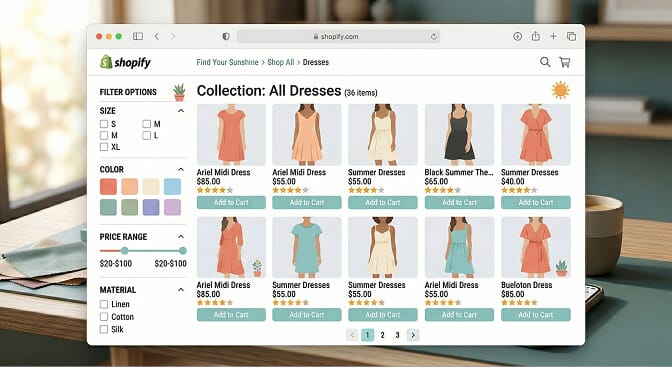
Let me say something controversial: your product pages matter less than your collection pages.
Why? Because the decision to click on a product is made on the collection page. If your collection page is poorly merchandised - wrong sort order, no filters, generic product photos - customers never even get to your beautiful product descriptions.
Here's what high-converting collection pages do:
Smart default sort order. Not alphabetical. Not "date added." Your default sort should prioritize products by a combination of margin, inventory levels, and recent sales velocity. Put your best-selling, in-stock, high-margin products first.
Visible, relevant filters. Not every collection needs the same filters. A clothing collection needs size, color, and price. A supplements collection needs flavor, serving size, and dietary restriction. If your filters are generic across every collection, you're not merchandising - you're just installing an app and walking away. Dynamic product filters that adapt to your inventory make this work at scale.
Product cards that sell. Show the product name, price, a review rating, and available colors/variants right on the card. Don't make people click through just to see if it comes in their size.
Quick-add functionality. For repeat purchases especially (beauty, supplements, consumables), letting customers add to cart from the collection page reduces friction dramatically.
Strategy 4: Make Site Search Your Best Salesperson
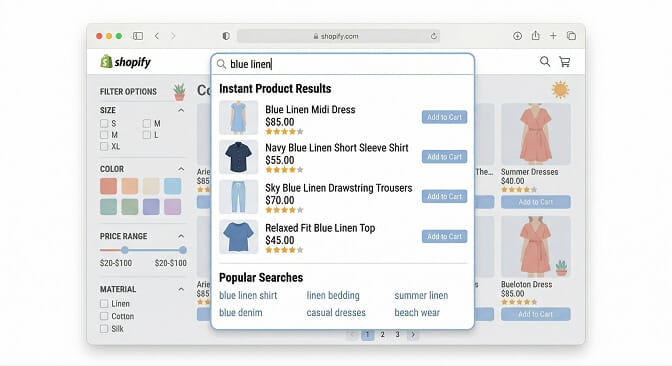
This is the part that costs you money.
When a customer uses your search bar, they're telling you exactly what they want to buy. They've skipped browsing. They've skipped category navigation. They are ready.
And on most Shopify stores? The search bar lets them down.
Common search failures I see constantly:
No typo tolerance. Customer types "sandels" instead of "sandals" and gets zero results. Sale gone.
No synonym matching. "Couch" returns nothing because your products are tagged as "sofa." You know what you mean. Your search engine doesn't.
No natural language understanding. "Red dress for summer wedding under $150" should be the easiest search to answer. On most Shopify stores, it returns a random mess of anything with "red" or "dress" in the title.
Dead-end "no results" pages. When search fails, the default is a blank page that says "No results found." That's not a search result - it's an exit door. A well-designed no results page suggests alternatives and keeps the customer in the store.
If you're tired of watching high-intent shoppers search and leave empty-handed, Sparq.ai fixes this in about 10 minutes. AI-powered search that actually understands what your customers mean, not just what they type. Free to try.
Strategy 5: Use Search Analytics to Merchandise Smarter
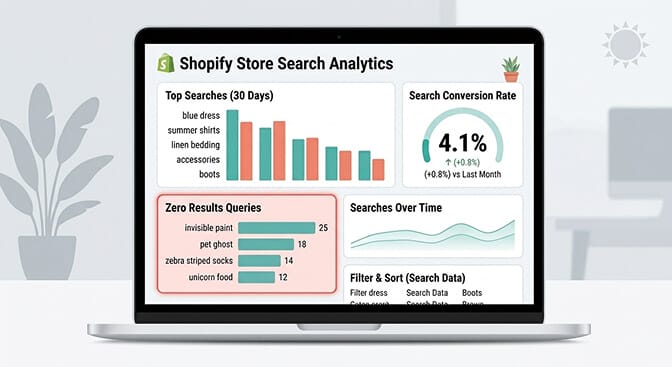
Here's where most guides stop. They tell you to set up collections and improve your product photos. That's table stakes.
The real merchandising advantage is data.
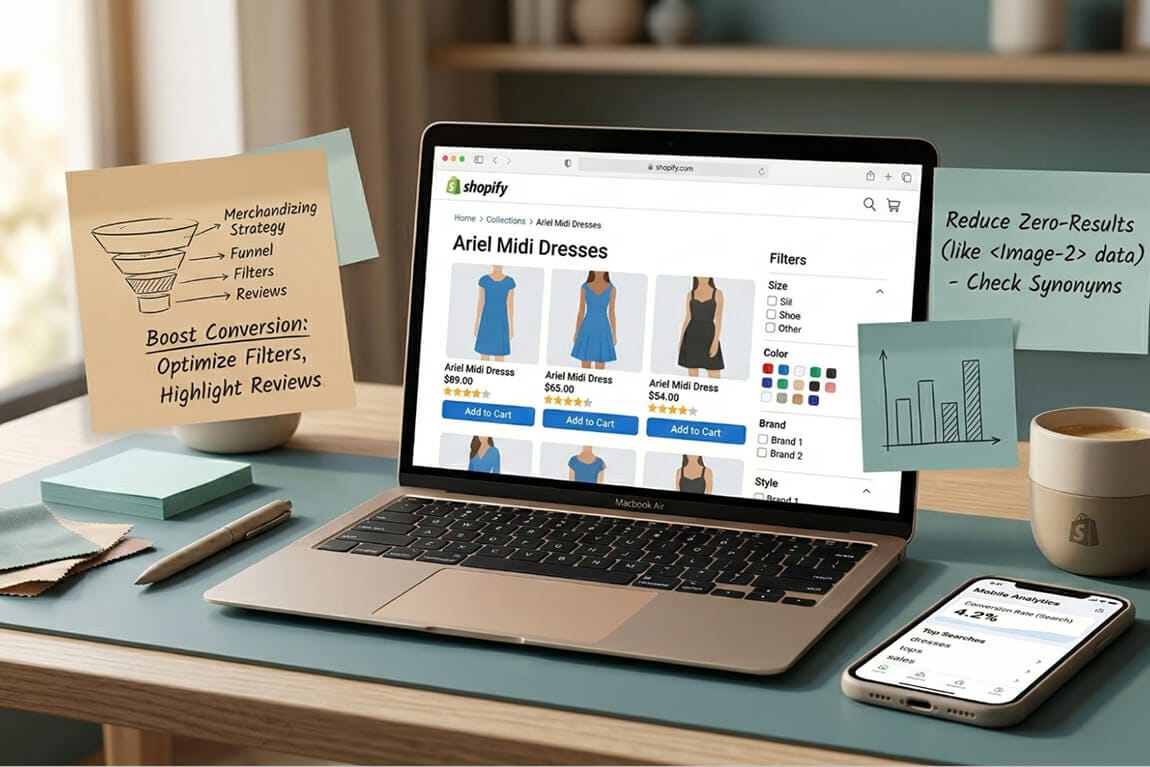
Your site search analytics tell you exactly what customers are looking for. The searches with zero results? Those are product gaps or tagging failures. The searches with high volume but low conversion? Those are merchandising problems - the customer found results, but the results weren't compelling enough.
When you look at your search analytics, you're looking at a direct feed of customer demand. It's market research that updates in real time.
Here's what to do with it:
Track your top 20 searches weekly. Are your bestsellers showing up first for these queries? If someone searches "moisturizer" and your best-selling moisturizer is buried on page 2 of results, fix the sort order.
Monitor zero-result queries. If 50 people search for "gift card" and you don't sell gift cards, that's a product opportunity. If they search for "tee" and get nothing because your products are tagged "t-shirt," that's a synonym problem you can fix in 30 seconds.
Measure search-to-purchase conversion. Your search users should convert 4-6x higher than browsers. If they don't, the problem isn't traffic - it's relevance.
Strategy 6: Cross-Sells and Upsells That Don't Feel Desperate
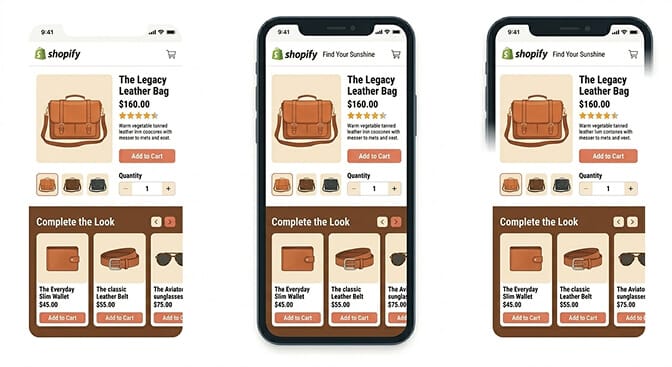
We've all seen the bad version. You're buying a phone case and the store recommends a refrigerator.
Good merchandising means relevant recommendations. And "relevant" means different things in different contexts:
On the product page: Show complementary products. If someone is looking at a dress, show shoes and a bag that complete the outfit. Not another dress.
In the cart: Suggest add-ons that increase order value without feeling pushy. "Add a gift bag for $3" works. "You might also like this $200 jacket" does not.
After purchase: Email follow-ups with products related to what they bought. This is where AI-powered product recommendations start to shine - they can analyze purchase patterns across your entire customer base and surface suggestions that actually make sense.
The key insight: cross-sells based on purchase behavior ("customers who bought X also bought Y") outperform cross-sells based on product similarity ("similar items") by a wide margin. Because people don't buy similar things. They buy complementary things.
Strategy 7: Mobile Merchandising Is a Different Sport
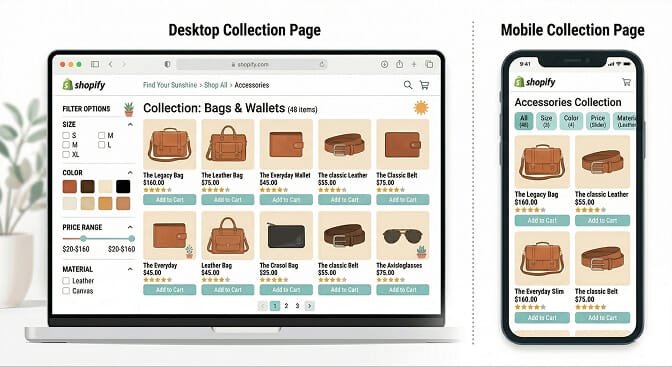
Over 70% of your traffic is mobile. But most Shopify merchants design and review their store on desktop.
This mismatch creates merchandising blind spots:
Your beautiful filter sidebar? It's hidden behind a hamburger menu on mobile. Most customers never find it.
Your 4-column product grid? It's 2 columns on mobile, which means customers see fewer products per scroll and are more likely to abandon.
Your hero banner with clever copy? It's unreadable at 375px width.
Mobile merchandising rules:
Use sticky filter bars that float at the top of collection pages so customers can always access them.
Prioritize product image quality for mobile - small screens are less forgiving of mediocre photography.
Keep product cards simple. Name, price, star rating, main color. That's it on mobile.
Make your search bar prominent and easy to tap. On mobile, search isn't an alternative to browsing - it's the primary navigation method.
The Merchandising Audit: 10 Questions to Ask Right Now
Before you spend another dollar on ads or another hour on product photography, answer these:
- Can a first-time visitor understand what you sell within 5 seconds of landing on your homepage?
- Are your collections organized by how customers think, or how your warehouse is structured?
- Does your search bar handle typos, synonyms, and natural language queries?
- Do your collection pages default-sort by relevance and sales velocity, or by date added?
- Are your filters specific to each collection, or generic site-wide?
- Do you have "no results" pages that suggest alternatives instead of dead-ending the shopper?
- Are your cross-sell recommendations based on actual purchase patterns?
- Have you looked at your search analytics in the last 30 days?
- Does your mobile experience have a sticky filter bar and prominent search?
- Are you reviewing and adjusting your merchandising monthly, or did you set it up once and forget it?
If you answered "no" to more than three of these, you're not merchandising. You're just listing products.
This Is What Separates Growing Stores From Stuck Ones
Merchandising isn't a one-time project. It's an ongoing practice.
The best Shopify stores treat it like a physical retailer treats their shop floor - refreshing displays, adjusting for seasonality, watching what customers gravitate toward, and adapting.
You don't need a team of ten to do this. You need the right tools, the right data, and 30 minutes a week of intentional attention.
Want to see what your customers are actually searching for - and what they're not finding? Install Sparq.ai and check your search analytics. It takes about 10 minutes to set up, and the first thing you'll see might surprise you.
The products aren't the problem. How you show them is. Fix the merchandising, and the sales follow.
Frequently Asked Questions
What is ecommerce merchandising and why does it matter for Shopify stores?
Ecommerce merchandising is the strategic practice of organizing, displaying, and promoting products in your online store to drive sales and improve customer experience. For Shopify stores specifically, it matters because the platform's default tools are designed for smaller catalogs - once you scale past a few hundred products, intentional merchandising becomes the difference between a store that converts and one that just gets traffic. Stores with strong merchandising strategies typically see 2-3x higher conversion rates.
How does ecommerce merchandising differ from visual merchandising?
Visual merchandising focuses specifically on the visual presentation of products - photography, layout, color schemes, and display design. Ecommerce merchandising is broader. It includes visual presentation but also covers product organization, site search optimization, filtering strategy, recommendation engines, and promotional placement. Think of visual merchandising as one piece of the larger ecommerce merchandising puzzle.
What are the best ecommerce merchandising apps for Shopify in 2026?
The best apps depend on which merchandising area you need help with. For search and filtering, Sparq offers AI-powered search with natural language understanding and smart dynamic filters built specifically for Shopify. For product recommendations, Shopify's own Search & Discovery app handles basic needs. For sort order and product placement, apps like Kimonix use data-driven rules. The key is choosing apps that work together rather than overlap - and prioritizing search first, since search users convert 4-6x higher than browsers.
Does better ecommerce merchandising actually increase conversion rates?
Yes, significantly. According to Baymard Institute research, implementing proper filtering alone can improve findability by up to 50%. Stores that upgrade from Shopify's default search to AI-powered search typically see search conversion rates jump from under 2% to 5-8%. Merchandising improvements compound: better search leads to better product discovery, which leads to more add-to-carts, which leads to higher average order values. The ROI is measurable within weeks, not months.
Will adding a search and filter app slow down my Shopify store?
Not if you choose the right one. Modern search apps like Sparq are designed to load asynchronously, meaning they don't block your page from rendering. The search index is hosted externally, so your store's server isn't doing the heavy lifting. In most cases, a well-built search app actually improves perceived speed because customers find products faster - even if the raw page load time stays the same. Always check the app's impact using Google PageSpeed Insights before and after installation.