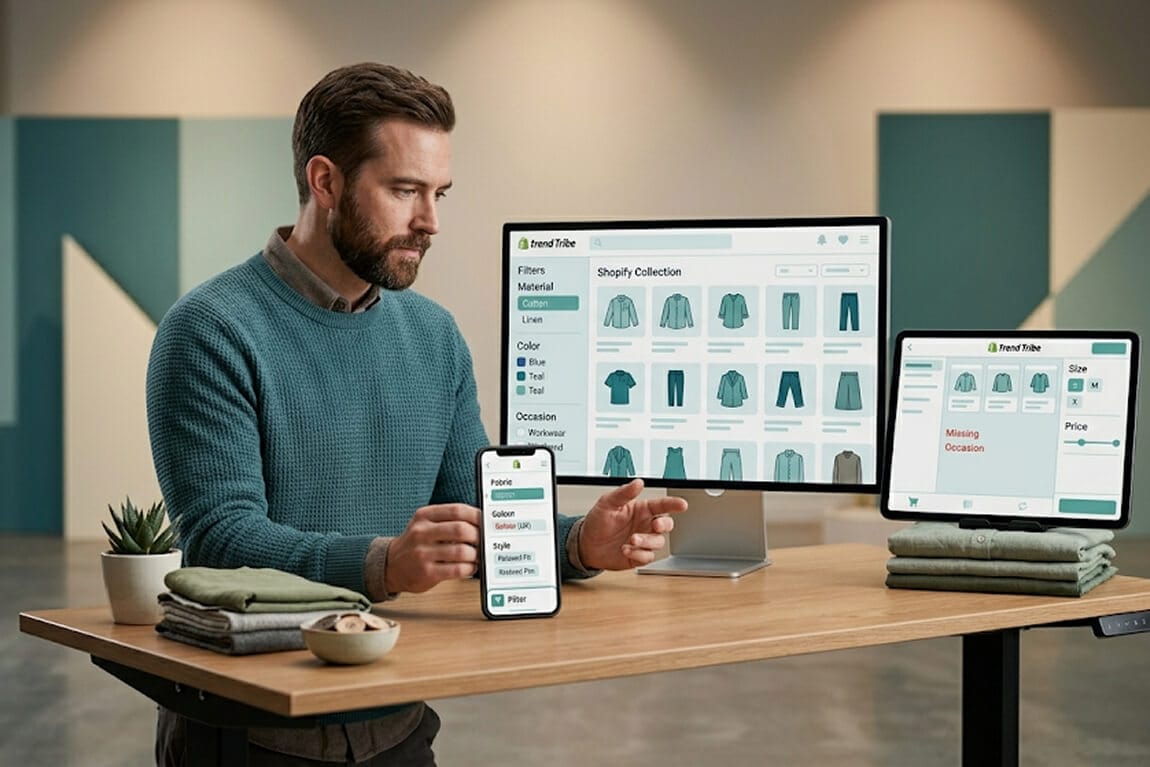
Your search bar isn't broken. It's just not trying very hard.
She typed "red summer dress" into her own store's search bar.
The first result was a black winter coat.
The second was a phone case. Red, sure. But a phone case.
The third was a gift card.
This wasn't a hypothetical. This was a real Shopify merchant. 1,200 SKUs. Decent traffic. Spending $3,000 a month on ads. And watching her own customers get served garbage results every time they searched.
And the worst part? She had no idea it was happening. Because she never actually searched her own store.
Sound familiar?
Here's the thing most Shopify store owners don't realize: your search bar is the highest-intent real estate on your entire site. People who use site search are 2-3x more likely to buy than people who browse. They already know what they want. They're practically waving money at you.
And if your search feeds them irrelevant results, they leave. Quietly. No angry email. No support ticket. Just gone.
Let's fix that. No developer required.
Why Shopify's Default Search Falls Short
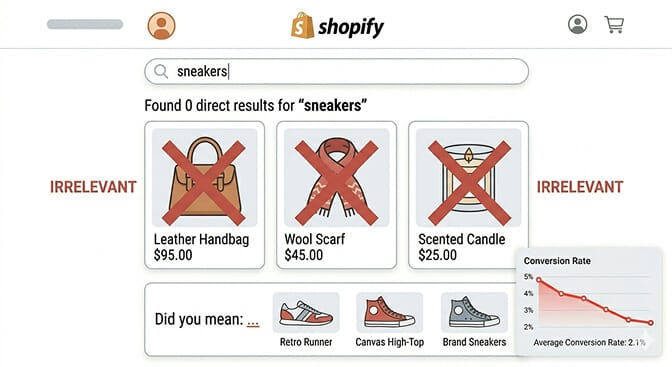
But Shopify's native search engine was built to be functional, not intelligent.
It does basic keyword matching. It looks at your product titles, descriptions, and tags. If your customer types "sneakers" and you've listed them as "athletic shoes," Shopify returns nothing. Or worse, it returns something completely unrelated that happens to have "sneaker" buried in a blog post.
There's no synonym handling. No understanding of intent. No awareness that "cozy blanket" and "throw blanket" are the same thing to your customer.
And here's the part that costs you money: Shopify's native search doesn't learn. It doesn't get better over time. It doesn't notice patterns. A thousand people could search "gift for mom" and bounce, and the search bar wouldn't adjust a single result.
That's not a bug. It's just the limit of what a basic keyword-matching system can do.
If you want to understand exactly how these ecommerce search algorithms work under the hood, we've broken that down separately.
Step 1: Actually Search Your Own Store
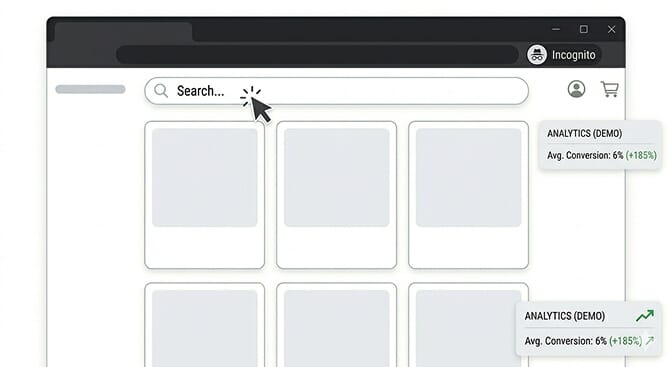
Open your store in an incognito window. Type in 10 different things your customers might actually search for. Not your exact product titles. Think like a shopper.
Try misspellings. Try slang. Try "blue thing for kitchen" instead of "Ceramic Mixing Bowl - Ocean Blue."
Write down what comes back. I guarantee at least 3 of those 10 searches will return poor or zero results.
This 5-minute exercise will teach you more about your store's search problem than any analytics dashboard.
You'll immediately see whether your store's product search is actually working for customers or just technically "not broken." If you want a structured framework for this, our guide on measuring search effectiveness walks through the exact metrics to track.
Step 2: Fix Your Product Data (The Boring Part That Matters Most)
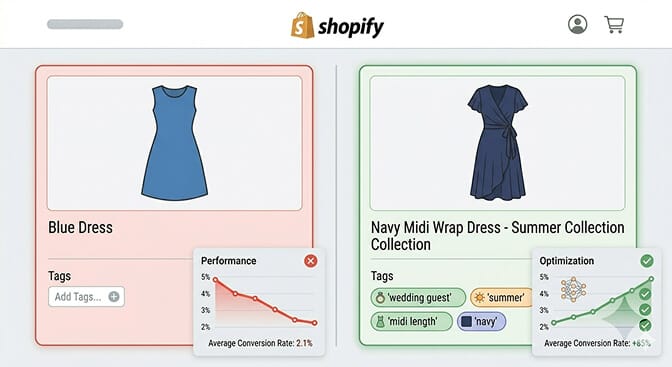
If your titles are vague, your descriptions are copy-pasted from suppliers, and your tags are a mess of inconsistent naming conventions, no search engine on earth can save you.
Here's what to clean up:
Product titles: Be specific and descriptive. "Blue Dress" is useless. "Navy Midi Wrap Dress - Summer Collection" gives the search engine (and the customer) something real to work with.
Tags: This is where most stores silently bleed money. Tags should include common synonyms, use cases, and attributes your customers actually care about. If you sell candles, tag them with "gift," "aromatherapy," "relaxation," "soy candle." Not just "candle."
Descriptions: Write for humans first, but make sure key product attributes appear naturally. Material, color, size range, use case, occasion. If it matters to a buyer, it should be in the description.
Stay with me here.
This isn't glamorous work. It's the equivalent of cleaning your garage before buying a new car. But it's the foundation everything else builds on. Good product catalog management makes every downstream improvement more effective.
Step 3: Add Synonyms (The Quick Win Nobody Talks About)
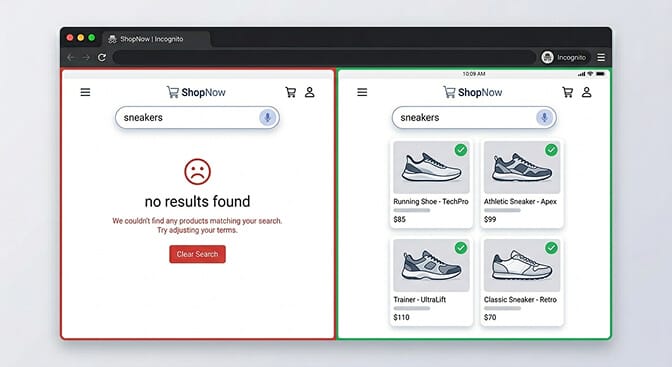
Someone searching "couch" expects to find your "sofa." Someone typing "tee" is looking for your "t-shirt." And "trainers" should absolutely return "sneakers" if you're selling to a global audience.
This is called synonym mapping, and it's one of the fastest ways to improve your search conversions with synonyms.
If you're using Shopify's native search, you can handle some of this through tags (add both "couch" and "sofa" as tags). But it's manual, tedious, and doesn't scale.
This is where an app like Sparq genuinely earns its keep. We handle synonym mapping automatically, plus typo tolerance, so "redd dress" still returns your red dresses instead of a dead end.
Quick action: Make a list of 20 terms your customers might use that don't match your product titles. Add them as tags today. You'll see results within a week.
Step 4: Kill Your "No Results" Pages
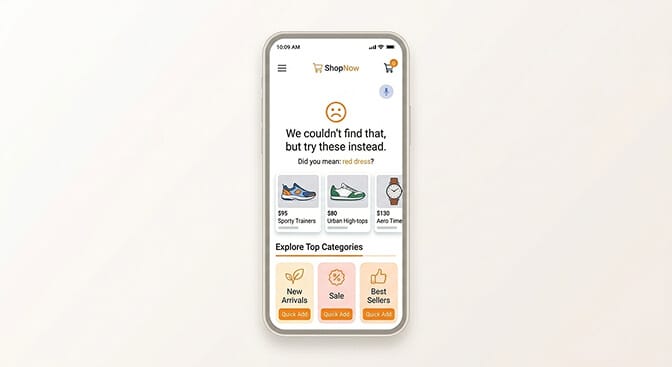
And most Shopify stores have a lot of them.
Check your search analytics (if you have them, more on that in a minute). Look at the queries that return zero results. These are customers telling you exactly what they want, and your store is essentially responding with "nope, don't have it, bye."
Sometimes they're searching for products you actually carry. Your data just doesn't match their language. That's a synonym problem (Step 3).
Sometimes they're searching for products you don't carry. That's market intelligence. Those are product ideas your customers are literally handing you for free.
Either way, your zero results page should never be a dead end. At minimum, show popular products, trending categories, or suggested alternatives. Don't just shrug at the customer. We've compiled 7 no results page designs that actually save sales if you need inspiration.
Step 5: Use Search Analytics to Find the Gaps
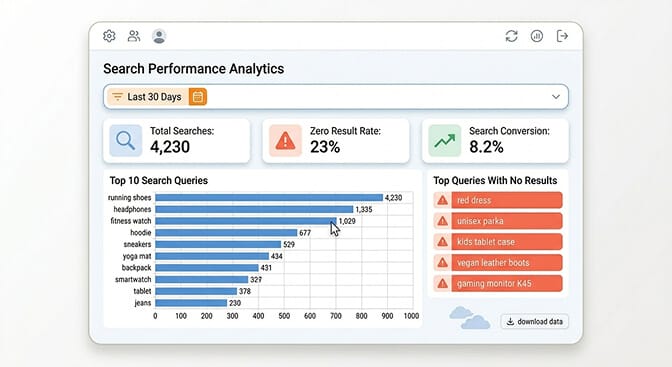
The merchant I mentioned earlier, the one with the red dress disaster, didn't fix her search by guessing. She fixed it by looking at the data.
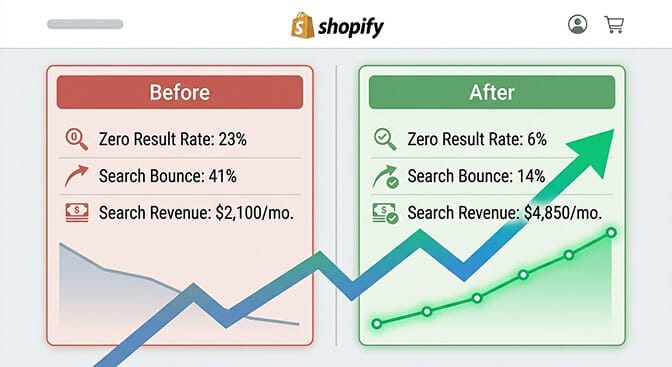
Once she installed search analytics, she discovered that 23% of her searches returned zero results. Nearly a quarter of her search traffic was hitting a wall and bouncing.
She also found that her top searched term, "gift set," wasn't returning any results because she'd tagged those products as "bundle" instead.
One tag change. That's all it took. Her search-driven revenue went up 15% that month.
If you're not tracking what people search for on your store, you're flying blind. Shopify's native search doesn't include analytics. You need an app for this. Our deep dive on search bar analytics for ecommerce explains exactly what to track and why.
If you're tired of customers searching and leaving empty-handed, Sparq fixes that in about 10 minutes. Free to try. The search analytics alone are worth the install.
Step 6: Make Your Filters Actually Useful
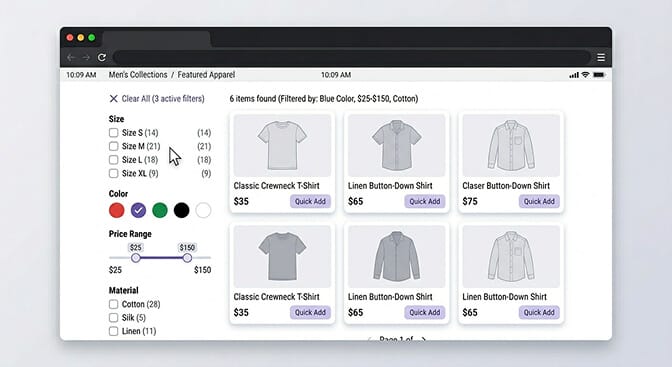
Most Shopify themes come with basic collection filters. Maybe size, color, availability. But if you're selling anything beyond simple apparel, those defaults aren't enough.
Here's what good filtering looks like:
Contextual filters. A shoe store needs "width" and "arch type." A furniture store needs "room" and "style." A supplement store needs "goal" (energy, sleep, focus). Your filters should match how your customers think about your products, not how you organize inventory.
Dynamic filters. Filters that adapt based on what's in stock. Nothing kills trust faster than selecting "Medium" and getting zero results because every Medium is sold out. Smart ecommerce filter design hides options that would lead nowhere.
Mobile-first filters. Over 70% of Shopify traffic is mobile. If your filters require 6 taps and a scroll to use, you've already lost. Horizontal filter chips, collapsible menus, and sticky filter bars are table stakes in 2026. We've written a full guide to search filter UI patterns if you want to see what the best stores are doing.
You don't need a developer for any of this. The right Shopify search and filtering app handles it out of the box.
Step 7: Test, Measure, Repeat
They fix their search once and forget about it. But your catalog changes. Seasons change. Customer language evolves. The search terms people use in January are different from July.
Set a monthly reminder to:
Search your own store with 10 fresh queries. Review search analytics for new zero-result queries. Update tags and synonyms based on what you find. Check your "no results" page performance.
This isn't a one-time project. It's a habit. And it's the difference between a store that converts search traffic and one that quietly bleeds it. If you want a checklist of search UX best practices to audit against, we've got you covered.
The stores that win at search aren't the ones with the fanciest technology. They're the ones that pay attention to what their customers are asking for, and actually respond.
The Real Cost of Bad Search Relevance
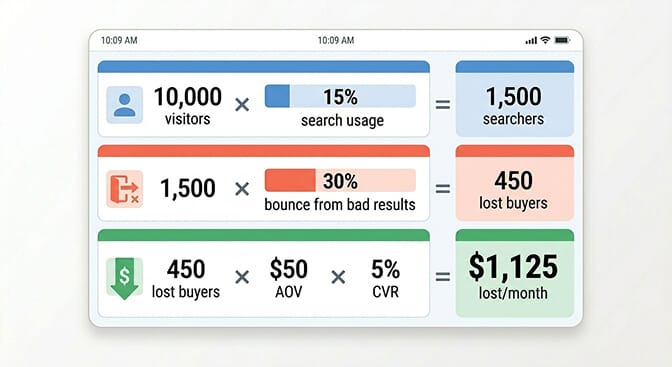
If your store gets 10,000 visitors a month and 15% use site search, that's 1,500 high-intent shoppers. If your search relevance is poor and even 30% of those searchers bounce due to bad results, you're losing 450 potential buyers every month.
At a $50 average order value with a modest 5% conversion rate from search, that's $1,125 in lost revenue. Monthly. From a problem you can fix in an afternoon.
Run the numbers on your own store using our ROI calculator. The results tend to be uncomfortable.
Understanding search abandonment and how to reduce it is one of the fastest paths to recovering that lost revenue.
One Last Thing

What I didn't mention is that she fixed the problem in a weekend. Not with a $20,000 custom build. Not with a Shopify Plus migration. Not by hiring a developer.
She cleaned up her product data. Added synonym tags. Installed a search app that understood what her customers actually meant when they typed something. And she started checking her search analytics every Monday morning with her coffee.
Her search-driven revenue doubled in two months.
Not because she did something complicated. Because she finally paid attention to the one part of her store that was trying to tell her exactly what her customers wanted.
Your search bar is doing the same thing right now. The question is whether you're listening.
Want to see what your customers are actually searching for? Install Sparq and check your search analytics. It's eye-opening.
Frequently Asked Questions
What does search relevance mean in Shopify?
Search relevance refers to how accurately your Shopify store's search results match what a customer intended to find. High relevance means a search for "blue running shoes" shows blue running shoes first, not blue phone cases or running gear accessories. Shopify's default search uses basic keyword matching, which often produces poor relevance because it can't understand intent or handle synonyms.
How does Shopify's native search compare to third-party search apps?
Shopify's built-in search handles basic keyword matching against product titles, descriptions, and tags. Third-party search apps like Sparq, Algolia, and Searchanise add AI-powered relevance ranking, natural language understanding, typo tolerance, synonym handling, and search analytics. For stores with more than a few hundred products, the difference in conversion rates between native and AI-powered search is typically 15-30%.
How do I fix "no results found" pages on my Shopify store?
Start by reviewing which search queries return zero results. You'll need search analytics for this. Most zero-result queries fall into two buckets: products you carry but haven't tagged properly (fix with better tags and synonyms), or products you don't carry (use this as market research). Configure your no-results page to show popular products, trending categories, or spelling suggestions instead of a dead end.
Will a Shopify search app slow down my store?
Quality search apps load asynchronously, meaning they don't block your page from rendering. Sparq, for example, adds negligible load time because search requests happen on our servers, not yours. Always check an app's impact on your Core Web Vitals scores before and after installation, but most modern search apps are designed to be lightweight.
How long does it take to see results after improving search relevance?
Most merchants see measurable improvements within 1-2 weeks of cleaning up product data and adding synonym tags. If you install an AI search app, improvements are often immediate because the AI understands natural language from day one. The compounding effect, where cleaner data plus smarter search plus ongoing analytics reviews stack together, typically shows a 15-30% increase in search-driven revenue within the first 60 days.