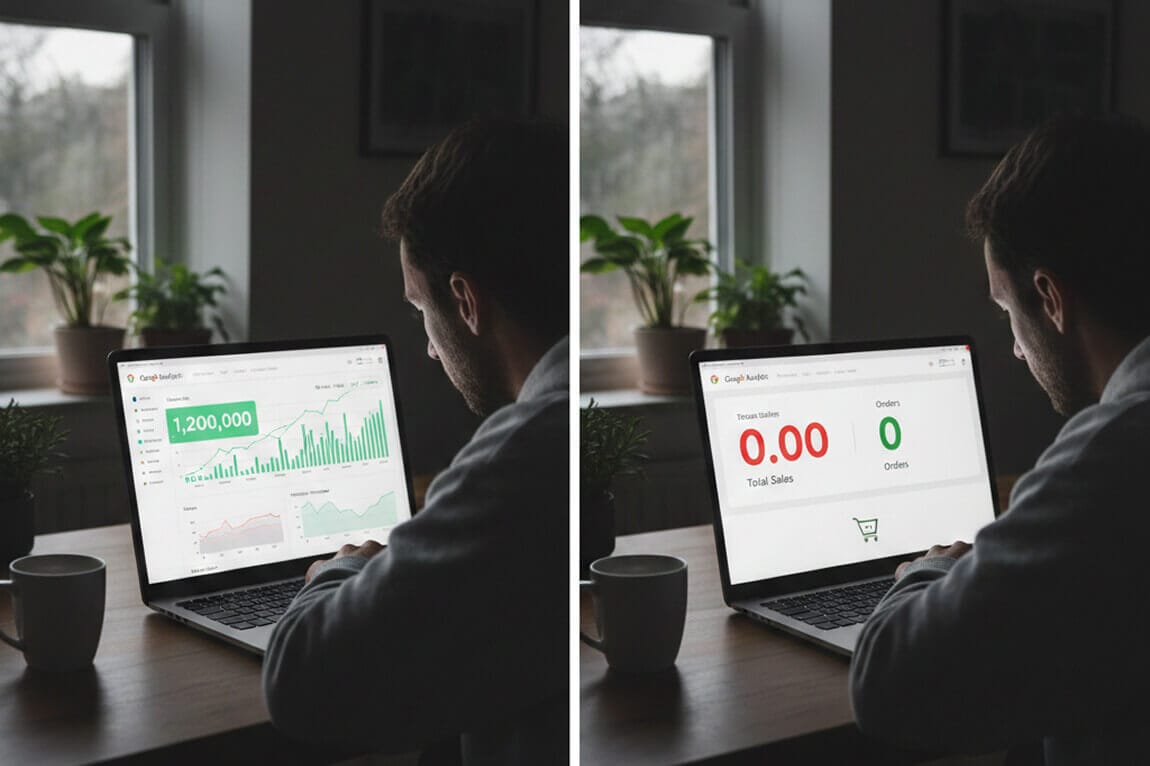
Why am I getting sessions on Shopify but no sales?
You're getting visitors. They're just not buying. And the reason might be hiding in the one place you never thought to look.
I was on a call with a merchant last month. Let's call her Sarah.
She runs a mid-sized home decor store on Shopify. Beautiful products. Solid traffic, around 8,000 sessions a month. Her Instagram was popping. Her Google Ads were dialed in.
But her sales? Flatlined.
"I've done everything," she told me. "New product photos. Trust badges. I even rewrote all my descriptions. Nothing moves the needle."
So I asked her a question nobody had asked before.
"What are people searching for on your site?"
Silence.
She'd never looked.
The Traffic Trap Every Shopify Store Falls Into
Here's what happens when your Shopify store gets traffic but no sales: You panic. You start Googling. You find articles listing 31 possible reasons why visitors aren't converting.
Bad photos. Wrong audience. Slow load times. Missing trust signals. Complicated checkout.
And look, those things matter. They absolutely do.
But here's the weird part.
Most of those articles are written by people who don't actually run Shopify stores. They're recycling the same generic advice you've read a hundred times. Meanwhile, the real conversion killer is sitting right there on your homepage.
Your search bar.
The one place where customers literally type what they want to buy.
And most store owners have no idea what's happening inside it.
Why Sessions Without Sales Is a Search Problem
Let me explain something that changed how I think about Shopify conversion rates.
When someone visits your store from an ad or Instagram, they're in "browse mode." They're curious, maybe interested, but not committed.
But when someone uses your search bar?
That's intent. That's a customer saying, "I know what I want. Help me find it."
Shoppers who use site search are 2-3x more likely to convert than those who don't. But only if they actually find what they're looking for.
This is where most Shopify stores bleed money.
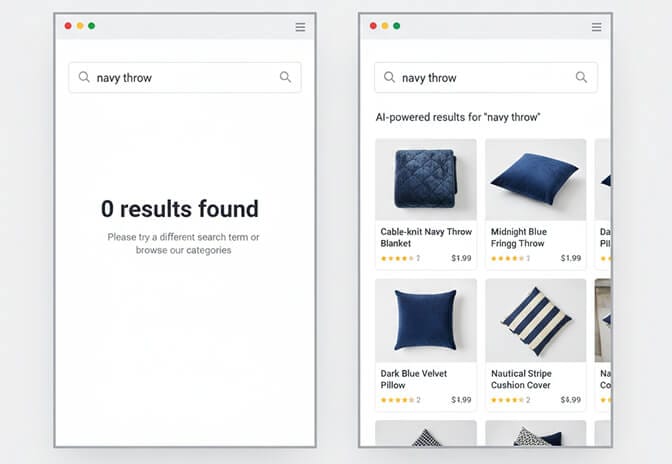
Shopify's default search is... basic. It matches exact keywords. It doesn't understand synonyms. It can't handle typos. And when someone searches for "navy throw blanket" but you've listed it as "dark blue decorative blanket," they get zero results.
They don't try again.
They leave.
And you never know why.
The Data You're Not Looking At
Here's what Sarah discovered when she finally checked her search analytics.
Her top search query? "Gift set."
She had gift sets. Plenty of them. But they weren't called "gift sets" in her product titles; they were labeled "curated collections" and "bundle boxes."
Her customers were searching. Her store wasn't listening.
Forty-seven percent of her search queries returned zero results. Nearly half. That's traffic walking in the door, asking for exactly what they want, and being told "sorry, we don't have that", even when she did.
This is the part that costs you money.
Because every failed search is a lost sale. Every frustrated customer who bounces is revenue you'll never recover. And the worst part? You have no idea it's happening unless you're tracking it.
Most Shopify merchants obsess over their ad dashboards. They watch their traffic sources like hawks. But they've never once opened their search reports to see what customers are actually looking for.
Stay with me here.
The Three Search Failures Killing Your Conversions
After working with hundreds of Shopify stores, I've seen the same patterns destroy conversion rates over and over. If your store is getting sessions but no sales, at least one of these is probably happening:
1. Zero Results Syndrome
Someone searches. Nothing comes up. They leave.
This happens way more than you'd think. Shopify's native search requires near-exact matches. One typo, one synonym, one slightly different phrasing - and your customer hits a wall.
The fix: You need search that understands intent, not just keywords. AI-powered search can recognize that "sneakers," "trainers," and "athletic shoes" all mean the same thing. It can handle "blu" when someone meant "blue." It can surface relevant products even when the query isn't perfect.
2. Irrelevant Results Overload
Sometimes the problem isn't zero results, it's bad results.
A customer searches for "wireless earbuds" and gets shown every product that has "wireless" somewhere in the description. Phone chargers. Speakers. Random accessories. The actual earbuds are buried on page three.
This is worse than no results. Because now the customer thinks you don't have what they want, even though you do.
The fix: Smart search that weighs relevance properly. Products that actually match the query should rank first. AI-powered site search understands what customers actually mean, not just the words they type.
3. Filter Frustration
Let's say your search works fine. Customer finds the right category. But now they need to narrow it down.
Size. Color. Price range. Material.
If your filters don't work on mobile (where most Shopify traffic comes from), or if they're confusing, or if selecting one filter doesn't update the results instantly, you've lost them.

The fix: Filters that actually help. That adapt to your inventory. That show customers how many products match in real-time. That work beautifully on a phone screen at 11pm when someone's shopping from bed.
What Actually Happens When Search Works
I want to tell you about another merchant. Different story.
He runs a supplements store. Competitive niche. Decent traffic, around 5,000 sessions monthly. His conversion rate was stuck at 0.9%, brutal for his margins.
When he installed Sparq.ai, the first thing he did was check his search analytics.
He found that customers were searching for benefits, not product names. "Energy boost." "Better sleep." "Joint support."
His products were named things like "CoQ10 Complex" and "Magnesium Glycinate."
So he did two things:
First, he updated his search to understand these natural language queries. Now when someone searches "help me sleep," they see his magnesium and melatonin products - not an error message.
Second, he added those high-volume search terms to his product descriptions and collection pages. Double win: better on-site experience and better SEO.
His conversion rate jumped to 2.3% in six weeks.
Same traffic. Same products. Same prices.
The only difference? Customers could finally find what they wanted.
The best Shopify stores don't just drive traffic. They make that traffic findable. They turn searchers into buyers by removing the friction between "I want this" and "I bought this."
The Quick Diagnostic: Is Search Killing Your Sales?
Before you do anything else, answer these questions:
Do you know your top 10 search queries? If not, you're flying blind.
What percentage of searches return zero results? Anything above 15% is a problem. Above 30% is an emergency.
Are customers searching for terms you don't use in your product titles? This is the synonym gap, and it's probably costing you.
Does your search work on mobile? Pull out your phone right now and try it. Is it fast? Are results relevant? Can you filter easily?
If you're tired of customers searching and leaving empty-handed, Sparq.ai fixes that in about 10 minutes. Free to try. And the search analytics alone will show you exactly where you're losing sales.
Beyond Search: The Other Conversion Killers
Look, I'm not going to pretend search is the only reason your Shopify store isn't converting. It's just the one nobody talks about.
The other usual suspects still matter:
Slow site speed kills mobile conversions especially. If your store takes more than 3 seconds to load, you're losing 40% of visitors before they see a single product.
Weak product pages make customers hesitate. If you're not showing multiple angles, lifestyle shots, and clear sizing/specs, you're asking people to buy on faith.
Checkout friction murders sales at the finish line. Guest checkout should be enabled. Payment options should be obvious. Shipping costs should never be a surprise.
Wrong traffic is expensive traffic. If your ads target "affordable watches" but your brand screams luxury, you're attracting window shoppers who were never going to buy.
But here's what I've learned: Most stores optimize those things first because that's what the generic advice tells them to do.
Meanwhile, their search bar sits there, quietly sending customers away, completely ignored.
The Real Reason You're Getting Traffic But No Sales
It's not one thing. It's rarely one thing.
But if you've done the obvious stuff, good photos, reasonable prices, mobile-friendly theme, trust badges, working checkout, and you're still seeing high sessions with low sales, the bottleneck is almost always product discovery.
People can't buy what they can't find.
Your navigation might be confusing. Your collections might be poorly organized. Your filters might be broken on mobile.
Or your search might be failing 40% of queries and you just don't know it.
The fix isn't complicated. But it does require looking at data most merchants never check.
Turn Your Search Bar Into a Sales Machine
If you want to see what your customers are actually searching for and, more importantly, what they're not finding- install Sparq.ai and check your search analytics. It's eye-opening.
Within 10 minutes, you'll have AI-powered search that understands natural language, handles typos, and surfaces the right products. You'll have smart filters that adapt to your inventory. And you'll have data showing you exactly where customers get stuck.
Same traffic. Better conversions.
That's the fix nobody talks about.
Frequently Asked Questions
1. Why is my Shopify store getting traffic but no sales?
The most common causes are poor product discovery (customers can't find what they want), wrong audience targeting, weak product pages, and checkout friction. One often-overlooked factor is broken on-site search - if customers search and get zero or irrelevant results, they leave without buying. Start by checking your Shopify analytics to see where visitors drop off in your conversion funnel.
2. What is a good conversion rate for Shopify stores?
The average Shopify conversion rate is around 1.3%, while top-performing stores achieve 3.2% or higher. However, benchmarks vary by industry - fashion and apparel typically see lower rates than consumables or niche products. If your store is below 1%, focus on product discovery, page speed, and checkout optimization before adding more traffic.
3. How can I increase conversions on Shopify without spending more on ads?
Focus on converting the traffic you already have. Improve your on-site search so customers find products faster, optimize product pages with better images and descriptions, reduce checkout friction by enabling guest checkout, and add social proof like reviews. AI-powered search tools can increase conversion rates by 2-3x for visitors who use search.
4. Does site search really affect Shopify conversion rates?
Yes - significantly. Customers who use site search convert at 2-3x higher rates than browsers, but only when search works well. If your search returns zero results, shows irrelevant products, or can't handle typos and synonyms, you're losing high-intent buyers. Most Shopify stores see 20-50% of searches fail, which directly impacts revenue.
5. How do I check what customers are searching for on my Shopify store?
Go to Shopify Admin → Analytics → Reports → "Top online store searches." This shows your most common search queries. For deeper insights - like failed searches, zero-result queries, and search-to-purchase conversion rates - you'll need a dedicated search analytics tool like Sparq.ai, which tracks search behavior and shows exactly where customers get stuck.







