
We tested the top Shopify search apps so you don't have to. Here's what actually matters and what most comparison articles won't tell you.
She typed "bule runing shoes."
Three letters off. One missing N. And just like that, your store told her you don't sell running shoes.
She left. Bought from your competitor. Never came back.
This happens hundreds of times a day on Shopify stores with default search. And most store owners have no idea because Shopify doesn't show you what people searched for and didn't find.
That's the real problem. Not just bad search. Invisible bad search.
So when merchants finally go looking for a better search engine for their Shopify store, they hit a wall of comparison articles that all say the same thing: "Here are 10 apps, they're all great, pick one!"
That's not helpful. That's lazy.
Here's what we actually did: we installed the top Shopify search apps on test stores, ran identical queries, compared filter behavior, checked speed, looked at pricing at scale, and noted where each app quietly falls apart.
This is that comparison.
What Makes a Search Engine "Good" for Shopify?
Before we compare anything, let's agree on what matters.
A good Shopify search engine needs to do five things well:
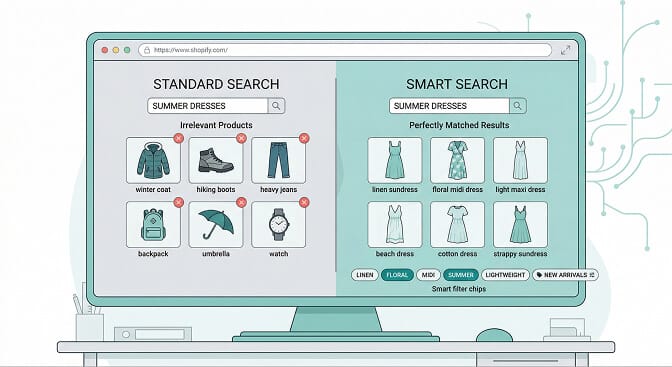
Understand what shoppers mean, not just what they type. If someone searches "red dress for wedding," your search shouldn't just match the word "red" and "dress" independently. It should understand intent.
Handle mistakes gracefully. Typo tolerance isn't a bonus feature. It's table stakes. Real humans misspell things constantly, especially on mobile.
Filter without friction. Filters should adapt to your inventory. If you don't sell anything under $20, don't show a $0 to $20 filter option. That's just confusing.
Show you what's broken. Search analytics - what people search for, what returns zero results, what converts - is where the real money hides.
Work without a developer. If you need to hire someone to configure your search bar, the app has already failed its job.
With that framework, let's look at the top contenders.
Shopify Native Search: The Default You Should Outgrow
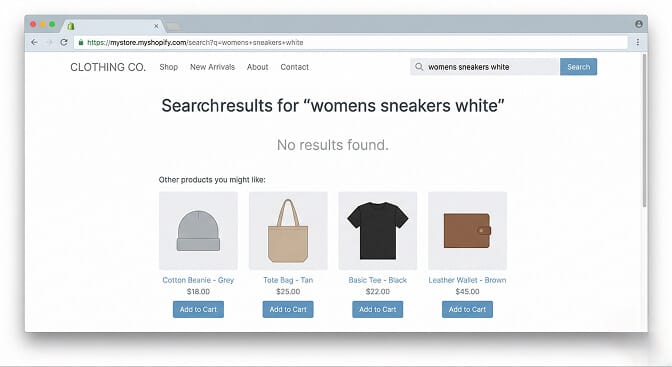
Shopify's built-in search is... there. It exists. It does exact keyword matching and not much else.
Type "sneakers" and it works. Type "sneekers" and you're out of luck. Search for "gift for mom under $50" and it has no idea what you're talking about.
There's no AI. No synonym handling. No search analytics that reveal customer behavior. No way to merchandise results or pin specific products.
For a store with 30 products, it's fine. For anything past a few hundred SKUs, it becomes the silent conversion killer you don't notice until you install something better and watch your search-driven revenue jump.
Best for: Brand new stores with tiny catalogs and zero budget.
Breaks down when: You have more than roughly 200 SKUs or any product naming complexity.
Algolia: The Enterprise Beast
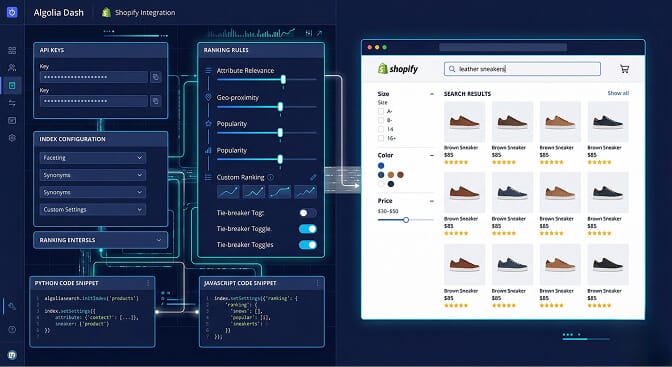
Algolia is the name you'll hear in every "best search" article. And for good reason: it's genuinely powerful. The search relevance is excellent, the speed is elite, and the customization options are almost limitless.
Here's the catch: it's built for engineering teams.
Algolia assumes you have a developer who can configure ranking rules, set up custom indices, manage API keys, and build frontend components. The Shopify integration exists, but it's a fraction of what Algolia can do, and getting the full power requires technical work.
Then there's pricing. Algolia's free tier is generous for testing, but once you're doing real volume - say 50,000+ search queries a month - costs climb fast. We've talked to merchants paying $300 to $500 per month for Algolia on mid-size stores.
Is it worth it? If you're a large operation with a dev team and complex search needs, absolutely. If you're a solo founder running a 2,000 SKU store? It's like hiring a Formula 1 pit crew to change your tires at Jiffy Lube.
For a deeper look at how ecommerce search algorithms actually work under the hood, we've broken that down separately.
Best for: Enterprise Shopify Plus stores with dedicated developers.
Breaks down when: You don't have technical resources or your budget is under $200 per month.
Searchanise: The Familiar Veteran
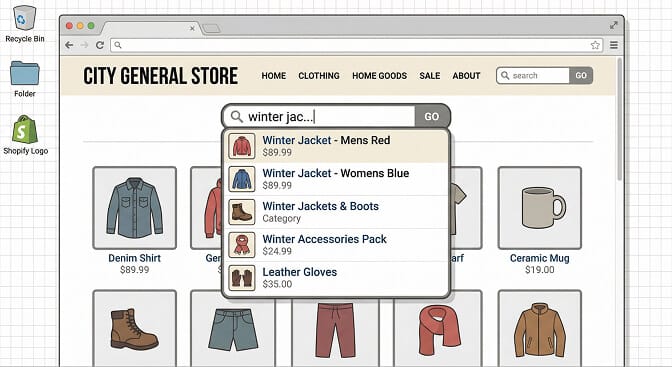
Searchanise has been around for years. It's one of the most installed search apps on Shopify, and it works reliably for basic search upgrades.
You get autocomplete, search suggestions, product thumbnails in the dropdown, and some basic filtering. Setup is straightforward. Pricing is reasonable for small stores.
But here's what we noticed: the AI capabilities feel a generation behind. Synonym handling is manual. You have to tell it that "tee" means "t-shirt." The search analytics are surface-level. And the UI of the search widget feels like it was designed in 2018 and hasn't evolved much since.
If you're trying to optimize your ecommerce filters for better sales, Searchanise will cover the basics but won't push the envelope.
For merchants who just need "better than Shopify default" and don't want to think about it, Searchanise is a solid, safe choice. But it's not pushing boundaries on understanding what your customers actually want.
Best for: Small stores that need a quick, reliable upgrade from native search.
Breaks down when: You need AI-powered intent understanding or deep search analytics.
Boost Commerce: The Filter Specialist
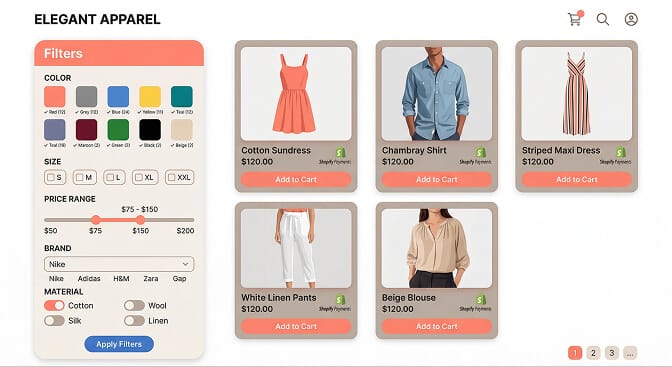
Boost Commerce is primarily a filtering app that also does search. And honestly? The filtering is quite good.
You get custom filter trees, visual swatches for colors and sizes, and solid merchandising controls. If your main pain point is "my collection pages need better filters," Boost deserves a serious look.
Where it gets tricky is on the search side. The search relevance is decent but not exceptional. The natural language understanding is limited. And as your catalog grows, you may find yourself spending significant time manually tuning filter configurations.
The pricing tiers also jump sharply once you need advanced features, which can surprise merchants who started on the basic plan.
Best for: Stores where filtering and collection page navigation is the primary problem.
Breaks down when: You need search to be the star, not just a supporting player.
Sparq: Built for Shopify, Built for Merchants Who Aren't Engineers
Full disclosure: this is us. So take what follows with that context. But we'll give you the same honest breakdown.
Sparq was built with one question: What if Shopify search actually understood what shoppers meant?
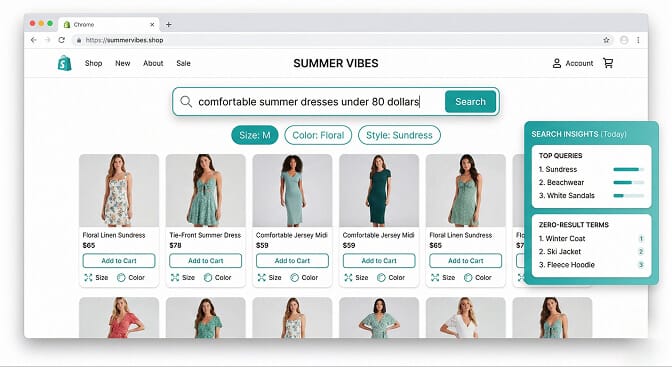
When someone types "gift for dad under 50," Sparq doesn't just match keywords. It understands the intent, filters by price, and surfaces relevant products. Typos, synonyms, plural variations: handled automatically without you configuring anything.
The setup takes about 10 minutes. Install, sync your catalog, and it works. No API keys, no ranking rule configuration, no developer needed.
But here's what merchants tell us matters most: the search analytics.
You can see exactly what your customers searched for, what converted, and most importantly, what returned zero results. That "zero results" report is where the money is. It tells you what people want that you either don't stock or don't label correctly.
One merchant found that 340 searches per month for "linen pants" were returning nothing because their products were tagged as "relaxed trousers." A five-minute tag update. Immediate revenue recovery.
We've written more about how to handle zero results pages so you never lose those customers again.
Where Sparq falls short: If you need deep enterprise customization - custom ranking algorithms, multi-index search across non-product content, API-level control - Sparq isn't built for that (yet). It's built for Shopify merchants who want great search that works out of the box.
Best for: Shopify stores from roughly 200 to 50,000+ SKUs that want AI search, smart filters, and analytics without hiring a developer.
Breaks down when: You need enterprise-grade API customization or search across non-Shopify content.
The Comparison Nobody Else Will Give You
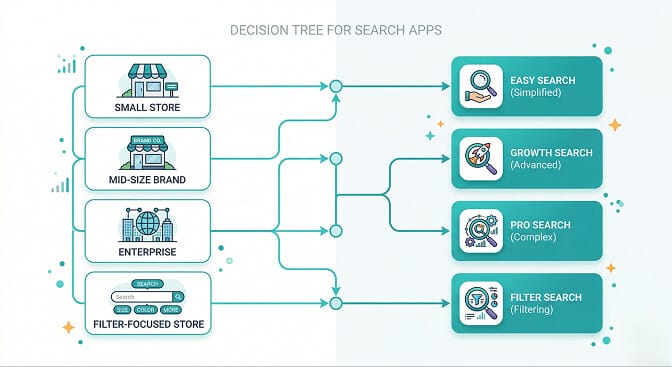
Here's where we stop being diplomatic and just tell you what we'd actually recommend based on your situation:
Under 200 SKUs, zero budget? Stick with Shopify's native search. It's fine for now. Come back when search starts costing you sales.
200 to 2,000 SKUs, want something simple? Searchanise or Sparq. If you care mostly about basic autocomplete, Searchanise. If you want AI understanding and search analytics, check out Sparq's features.
Filtering is your main pain point? Boost Commerce. They do filter design extremely well.
2,000 to 50,000+ SKUs, no dev team? Sparq. This is the sweet spot where AI search makes a measurable conversion difference and you don't want to manage technical complexity.
Enterprise Shopify Plus with developers? Algolia. It's the most powerful tool if you have the resources to use it properly.
The Cost of Not Fixing Search

Here's some quick math that should make this decision easier.
If your store gets 10,000 visitors per month and 15% use site search (industry average), that's 1,500 search sessions. Shoppers who use search convert at 2 to 3 times the rate of browsers. If your average order value is $75, even a 10% improvement in search conversion can mean $3,000 to $5,000 in recovered monthly revenue.
Now compare that to $20 to $50 per month for a good search app.
The ROI isn't even close.
If you're curious what your store is actually losing to bad search, you can try Sparq's ROI calculator to see the numbers for your specific store. Most merchants find the zero-results report eye-opening within the first week.
What to Actually Look For (The Checklist)
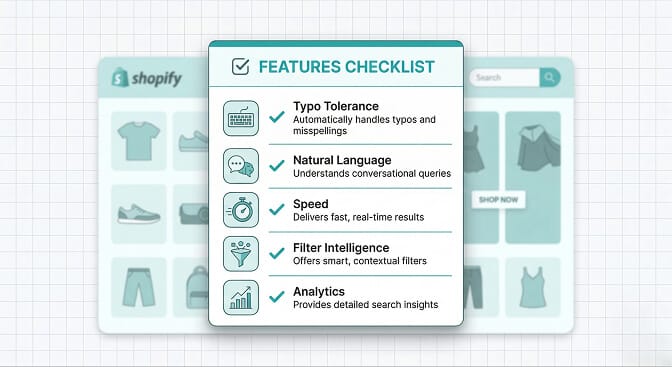
Before you pick any search app, test these five things:
- Typo test. Search for a product with deliberate misspellings. Does it still find the right products?
- Natural language test. Search for something like "birthday gift under 30" or "warm jacket for winter." Does the app understand intent or just match words?
- Speed test. Search results should appear in under 200 milliseconds. Anything slower and mobile shoppers notice.
- Filter intelligence. Do filters adapt to your actual inventory, or do they show empty options?
- Analytics access. Can you see what people searched for? What returned zero results? What converted?
If a search app can't pass all five, keep looking. We've put together a deeper guide on search UX best practices if you want to go further on this.
The Part That Actually Matters

Search isn't a feature. It's a conversation between your store and your customer.
When someone types something into your search bar, they're telling you exactly what they want. The question is whether your store is listening.
Most stores aren't. And most store owners don't even know it.
The best search engine for your Shopify store isn't the one with the most features or the biggest brand name. It's the one that makes sure when a customer tells you what they want, you actually help them find it.
That's it. That's the whole game.
Frequently Asked Questions
What is the best search app for Shopify in 2026?
The best search app depends on your store size and technical resources. For most Shopify merchants without a development team, Sparq offers the strongest combination of AI-powered search, smart filters, and analytics at an accessible price point. Enterprise stores with dev teams may benefit more from Algolia's customization depth.
How does AI search for Shopify work?
AI-powered Shopify search uses natural language processing to understand what shoppers mean, not just the exact words they type. This includes handling typos, recognizing synonyms automatically, interpreting price and intent signals in queries like "gifts under $50," and learning from your catalog structure to surface the most relevant products.
Does adding a search app slow down my Shopify store?
Modern search apps like Sparq and Algolia deliver results in under 200 milliseconds, which is faster than Shopify's native search in most cases. The search index runs on external servers, so it adds virtually no load to your Shopify storefront. Always test with Google PageSpeed after installation to confirm.
Shopify search vs Algolia: which is better for small stores?
Shopify's built-in search works for very small catalogs under 200 products, but it lacks typo tolerance, synonym handling, and analytics. Algolia is powerful but requires developer configuration and can get expensive at scale. For small to mid-size stores, a Shopify-native app like Sparq or Searchanise offers a better balance of capability and simplicity.
How much revenue am I losing from bad Shopify search?
Industry data suggests that site search users convert at 2 to 3 times the rate of non-search visitors. If 15% of your traffic uses search and your search returns poor results, you could be losing thousands in monthly revenue. Installing a search app with analytics lets you see exactly how many searches return zero results and what those missed queries would have been worth.