What Is Reverse Image Search? The E-commerce Advantage Most Merchants Are Missing
You've probably used it. But you're probably not thinking about it the right way.
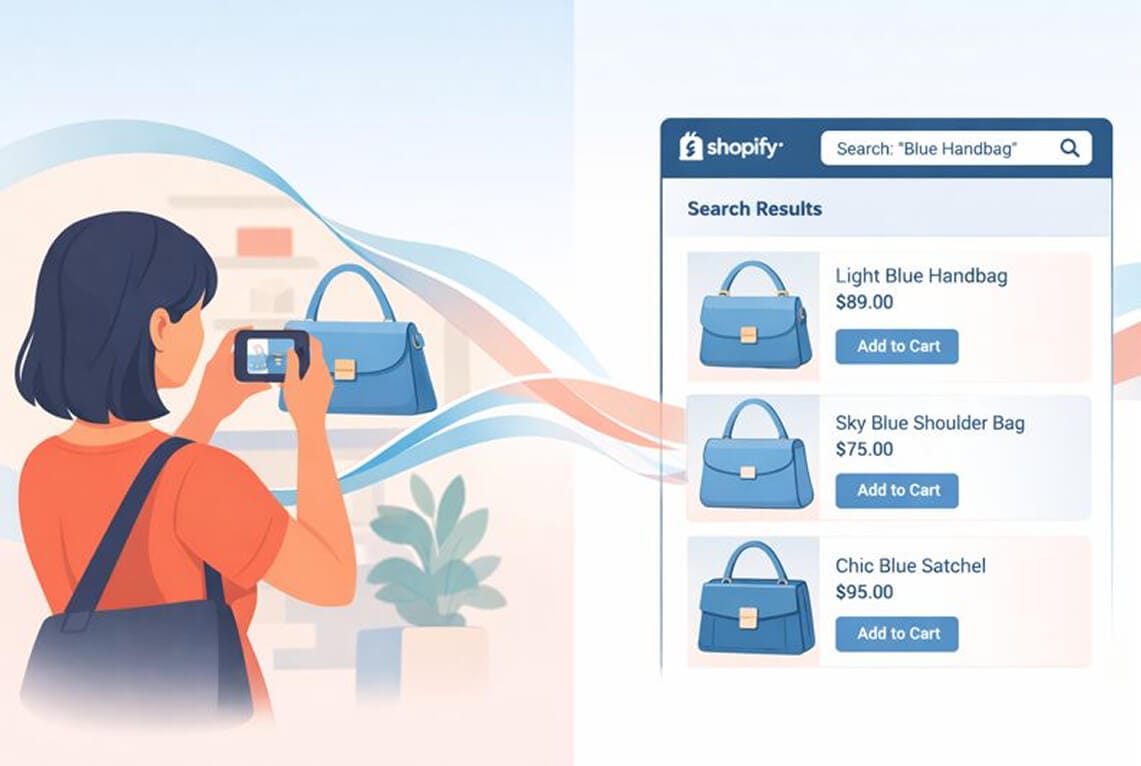
She was standing in line at a coffee shop when she saw it.
A woman two people ahead had this perfect crossbody bag. The exact shade of olive green she'd been hunting for. The right size. The right hardware.
But asking a stranger "Where'd you get that bag?" felt weird.
So she did what 36% of online shoppers now do instinctively: she snapped a photo, opened Google, and searched with the image instead of words.
Within seconds, she had options. Prices. Links to buy.
That's reverse image search in action.
And if you're running an e-commerce store, this little interaction should make you very nervous. Or very excited. Depending on whether your products show up in those results.
So What Actually Is Reverse Image Search?
Here's the simple version:
Reverse image search lets you search the internet using a picture instead of typing words.
Instead of entering "olive green leather crossbody bag with gold hardware" into a search bar (and hoping you've described it correctly), you upload an image. The search engine analyzes the visual content, including colors, shapes, patterns, and textures, then finds matching or similar images across the web.
Think of it as Shazam for pictures.
Traditional search starts with text and finds content. Reverse image search starts with visual content and finds everything else. Sources. Similar products. Websites using that image. Information about what's actually in the picture.
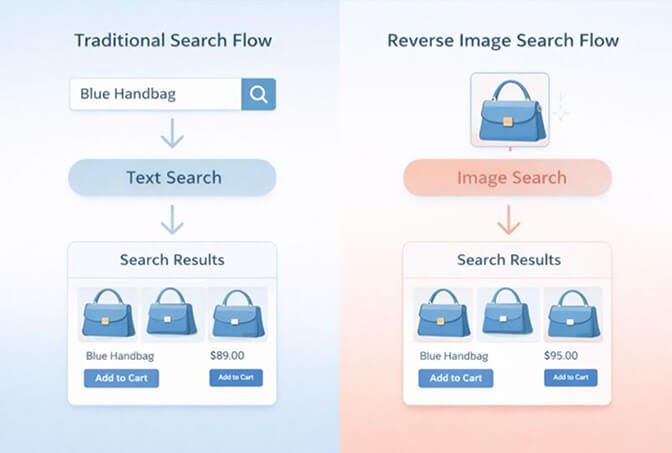
The technology powering this isn't magic. It's called Content-Based Image Retrieval (CBIR), a system that extracts visual features from images and converts them into data that algorithms can compare and match.
But here's what matters for you as a merchant:
This isn't just a cool Google trick. It's reshaping how customers discover products. And it's creating winners and losers in e-commerce every single day.
How Does Reverse Image Search Actually Work?
Stay with me here. Understanding the mechanics helps you see the opportunity.
When you upload an image to a reverse image search tool, three things happen:
First, feature extraction. The system analyzes your image for distinctive visual characteristics: dominant colors, edge patterns, shapes, textures, spatial relationships between objects. These features get converted into a mathematical representation (a "vector") that computers can process.
Second, database comparison. That vector gets compared against an absolutely massive index of images. Google's index contains billions of images. The system calculates similarity scores to find the closest visual matches.
Third, result ranking. The matches get ranked and displayed, often alongside contextual information pulled from the websites where those images appear.
The whole process takes milliseconds.
And this is where it gets interesting for e-commerce.
The same underlying technology, visual AI that understands what's in an image, not just what text surrounds it, can work inside your store. Not just on Google.
The Part Most Merchants Get Wrong
Here's the typical advice you'll find about reverse image search:
"Use Google reverse image search to find where your products appear online!"
"Check if competitors are copying your images!"
"Find the original source of images before you use them!"
All true. All useful.
But it completely misses the bigger picture.
Reverse image search isn't just something customers do outside your store. It's something you can offer inside your store.
Think about it.
A customer lands on your site. They know exactly what they want. They have a picture of it on their phone. But they don't know what you call it. They don't know your category structure. They don't know if you carry it.
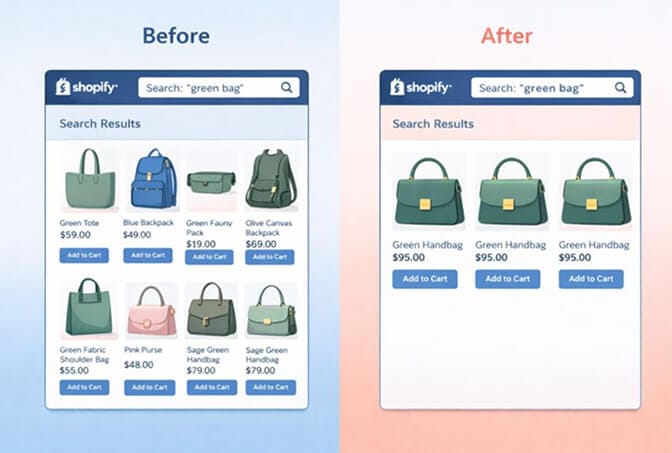
With traditional text search, they're stuck. They type "green bag" and get 847 results. Or worse, zero results because you call it "sage" and they typed "olive."
With visual search capabilities built into your store? They upload the image. Your search understands what they're looking for. You show them the match (or the closest alternatives).
That's the difference between a bounce and a conversion.
Why This Matters Right Now
The numbers tell the story.
According to research from Intent Lab, 36% of consumers have already used visual search when shopping online. And that number is climbing fast.
Google Lens alone processes 3 billion visual searches per month. Pinterest's visual search tool drives millions of product discoveries. Even Amazon has invested heavily in "shop by photo" functionality.
Customers are being trained to expect this.
And here's the thing about customer expectations: once they experience something better somewhere else, they notice when you don't offer it.
More than 85% of shoppers say visual information matters more than text when buying products like clothing, furniture, or home decor.
Your customers often know exactly what they want. They just can't always describe it in the words your search engine understands.
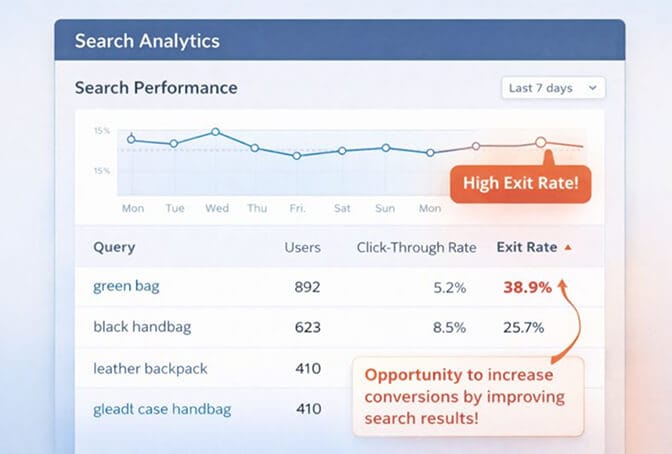
This is where most stores leak conversions. The customer has intent. They have budget. They're ready to buy. But your search shows them irrelevant results, or nothing at all, and they leave.
Visual search closes that gap.
The Two-Way Street: External vs. Internal Visual Search
Let me break down the two ways visual search affects your business:
External visual search is what happens on Google, Bing, Pinterest, or dedicated tools like TinEye. Customers search the open web with images and (hopefully) find your products among the results.
To win here, you need strong image SEO: high-quality product photos, optimized alt text, proper file naming, fast-loading images, and structured data markup. The basics of getting your images indexed and ranked.
Internal visual search is what happens on your site. It's giving your customers the ability to search your catalog with images, not just text.
Most Shopify stores don't offer this at all. Their search is purely text-based. And as catalogs grow past a few hundred SKUs, text-based search starts breaking down.
Here's what I mean:
A customer searches "blue dress" on a store with 2,000 products. Text search returns every product with "blue" or "dress" in the title, description, or tags. That's potentially hundreds of results in no particular order of relevance.
But if that customer could upload a photo of the specific style they want? AI-powered search could show them the three closest matches instantly. Even if your product titles call it "navy" instead of "blue." Even if the customer doesn't know it's technically a "midi wrap dress."
The search understands the product, not just the keywords.
If you're serious about fixing how customers find products in your store, AI-powered search is worth exploring. It takes about ten minutes to set up, and the difference in search relevance is immediately visible.
Practical Applications for Your E-commerce Business
Let's get specific about how to use this knowledge:
For external visual search (getting found on Google):
Optimize your product images. Use descriptive, keyword-rich file names (not "IMG_4521.jpg"). Write detailed alt text that describes what's in the image. Compress images so they load fast without losing quality. Submit your product feed to Google Merchant Center.
Monitor where your images appear online. Use Google's reverse image search periodically on your product photos. You'll find unauthorized resellers, affiliate sites promoting you, and sometimes competitors using your assets without permission.
For internal visual search (helping customers find products in your store):
Evaluate your current search experience. Go to your own store and search like a customer would. Search for colors, styles, and vague descriptions. Note how often you get irrelevant results or no results.
Consider implementing visual search capabilities. This used to require enterprise-level budgets and custom development. Now there are Shopify apps that bring this functionality to stores of any size.
And beyond visual search, make sure your regular search actually works. Natural language understanding, typo tolerance, synonym handling: these features dramatically improve how customers find what they're looking for.
Where Visual Search Is Heading
The technology is only getting smarter.
Google Lens can now identify over 15 billion products. It can scan a restaurant menu and show you reviews of specific dishes. It can identify plants, landmarks, and artwork. Point it at someone's outfit and it finds similar clothing items available for purchase.
This isn't science fiction. It's happening on millions of phones right now.
For e-commerce, the trajectory is clear: visual is becoming the default way people search for products.
The stores that adapt, both by optimizing for external visual search and by offering better search experiences on-site, will capture demand that competitors miss entirely.
The stores that don't will watch customers bounce to competitors whose search actually understands what they want.
The Real Opportunity
Here's what it comes down to:
Reverse image search isn't just a neat trick for finding the source of a meme. It's a fundamental shift in how people discover and shop for products.
36% of shoppers are already using it.
The question is whether they're finding your products, or someone else's.
And the bigger question: when they land on your store, can they find what they're looking for?
If you're curious what your customers are actually searching for (and how often they're leaving empty-handed), install Sparq.ai and check your search analytics. It's free to try, and the data is genuinely eye-opening. Most merchants are shocked by how much revenue they're leaving on the table through poor search.
Visual search is here. The only decision is whether you'll use it to your advantage.
Frequently Asked Questions
1. What is reverse image search and how does it work?
Reverse image search is a technology that lets you search the internet using an image instead of text. When you upload a photo, the search engine analyzes visual features like colors, shapes, and patterns, converts them into data, and compares that data against billions of indexed images to find matches. The whole process happens in milliseconds.
2. How does reverse image search compare to regular text search for finding products?
Text search requires customers to describe what they want in words and hope those words match your product titles and descriptions. Reverse image search lets customers show exactly what they want, bypassing language barriers and vocabulary mismatches. Studies show visual search typically produces more accurate results and higher conversion rates for product discovery.
3. Can I add visual search to my Shopify store?
Yes. While Shopify's native search is text-based, several apps now offer visual search capabilities for Shopify stores. These range from basic image matching to sophisticated AI-powered solutions that understand product attributes and can match visual styles even when products aren't identical.
4. Does visual search increase e-commerce conversion rates?
Research indicates visual search can significantly improve conversions by reducing friction in product discovery. When customers can search with images, they find relevant products faster and are more likely to purchase. The exact impact varies by product category. It's particularly valuable for fashion, home decor, and any visually-driven category.
5. Is reverse image search only useful for large e-commerce stores?
No. While large catalogs benefit most from visual search (more products means more difficulty finding the right one), stores of any size can benefit. Even small stores gain from understanding how customers are searching visually on external platforms like Google and Pinterest, and optimizing their product images accordingly.







